Spotify Social
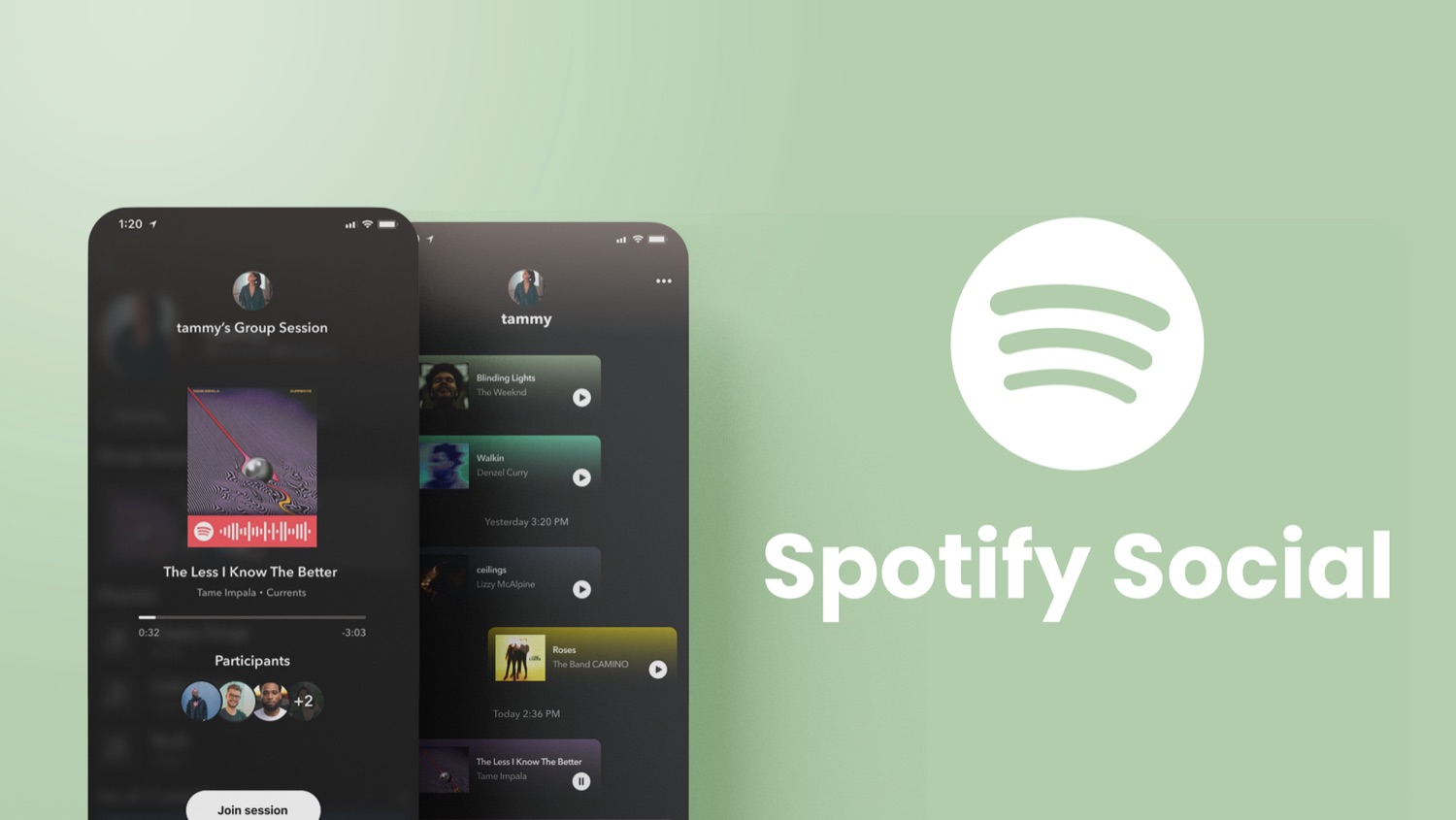
A reimagining of Spotify's social landscape on mobile, through the addition and improvement of features like in-app sharing, social notifications, friend activity, and group sessions.
Identifying the gaps in Spotify's social landscape
Every winter, there's a two-week period when it feels like the whole world goes to social media to share their Spotify Wrapped results. My friends would inquire about each other's listening personality, boast about the 80,000+ minutes they listened to music that year (which, I must confess, my numbers were up there too), and exchange recommendations after realizing they had overlapping music tastes.
It's intriguing that despite how much engagement it feels like we have over music, many of us don't, and can't, do much within Spotify itself. This is particularly true on the mobile app. Could there be a disconnect between the way many users want to use Spotify and the features currently available to support that experience?
How might we help Spotify users feel more connected with each other?
Designing features that empower users to connect
A reimagined social landscape for Spotify on mobile. New features like social notifications, friend activity, and in-app sharing were designed to enhance the social experience and empower users to connect with others through the platform. An existing feature, group sessions, was also redesigned to be more discoverable and practical.
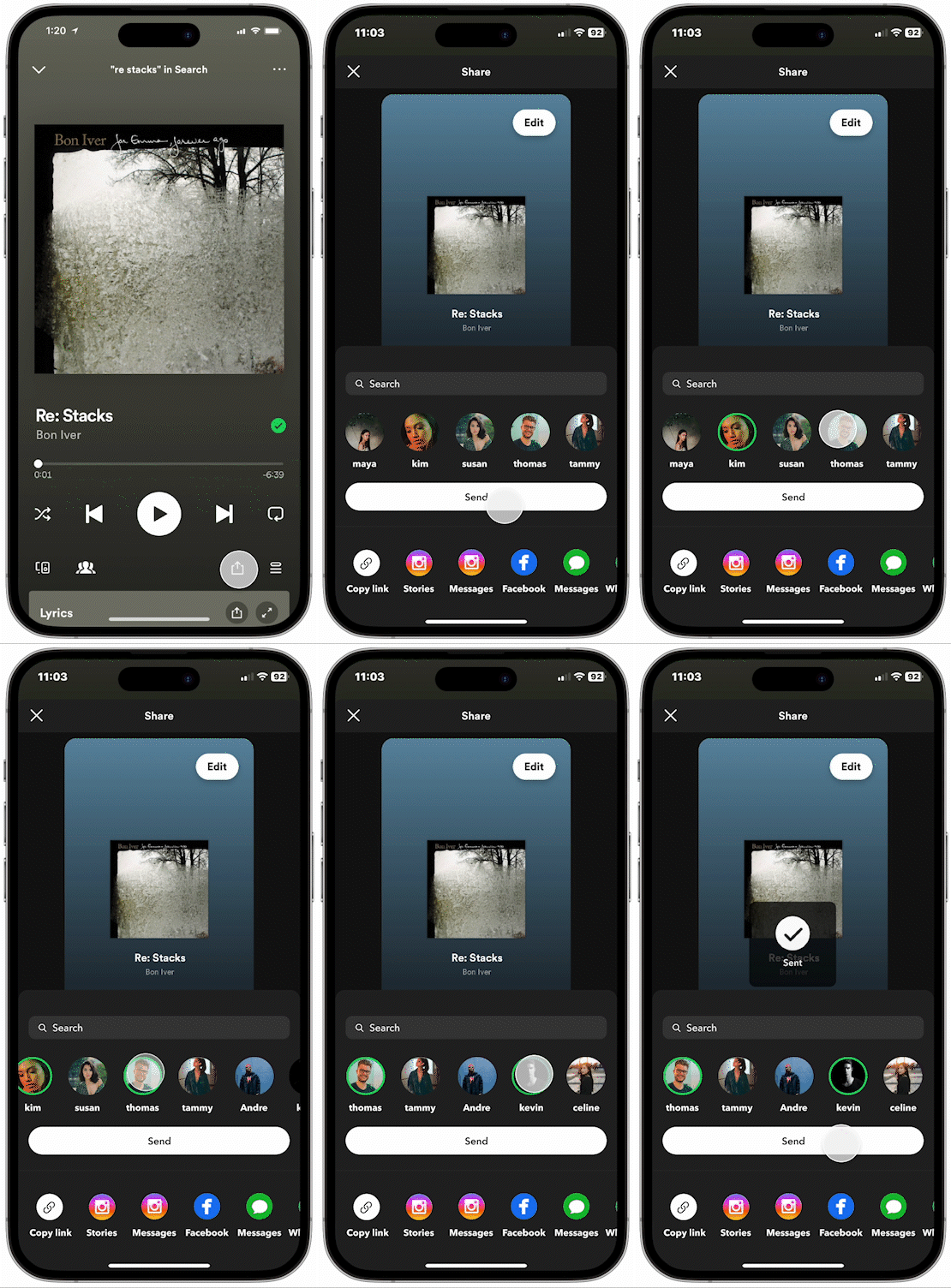
In-app Sharing
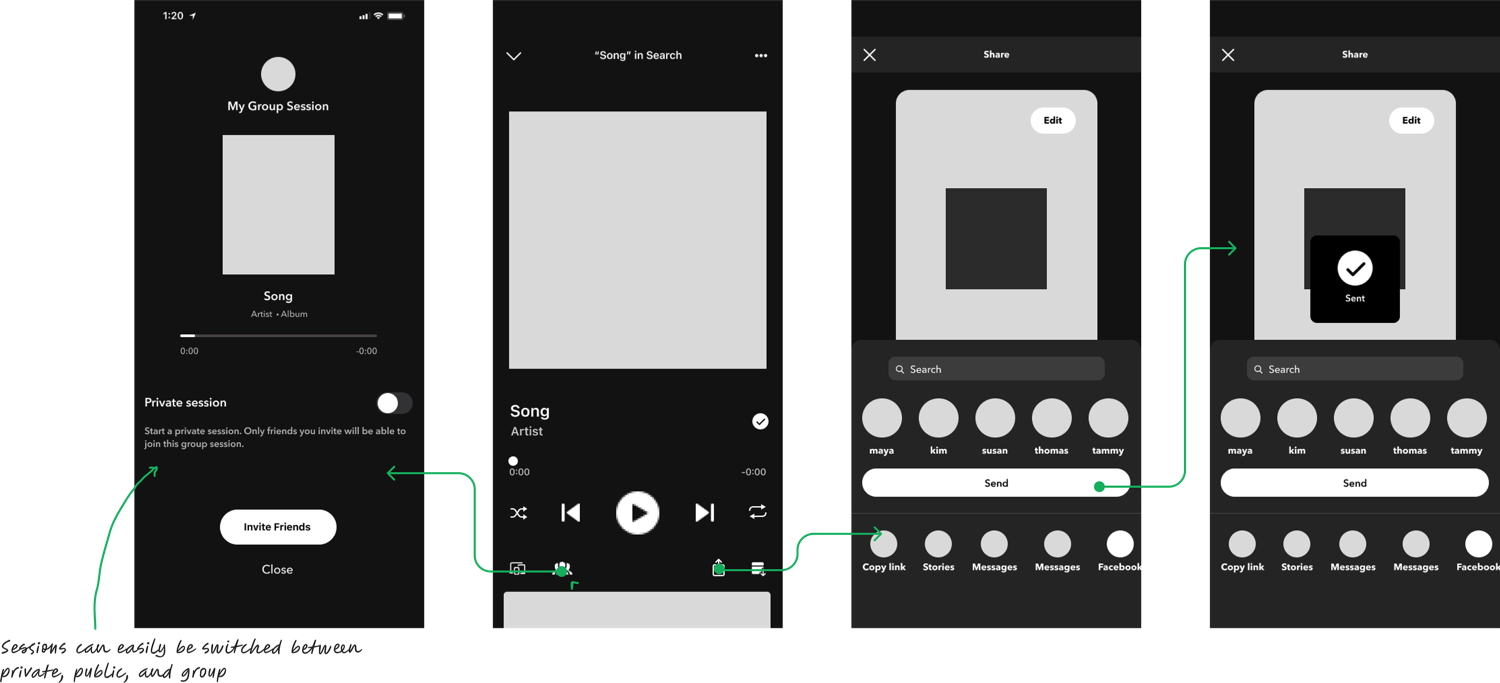
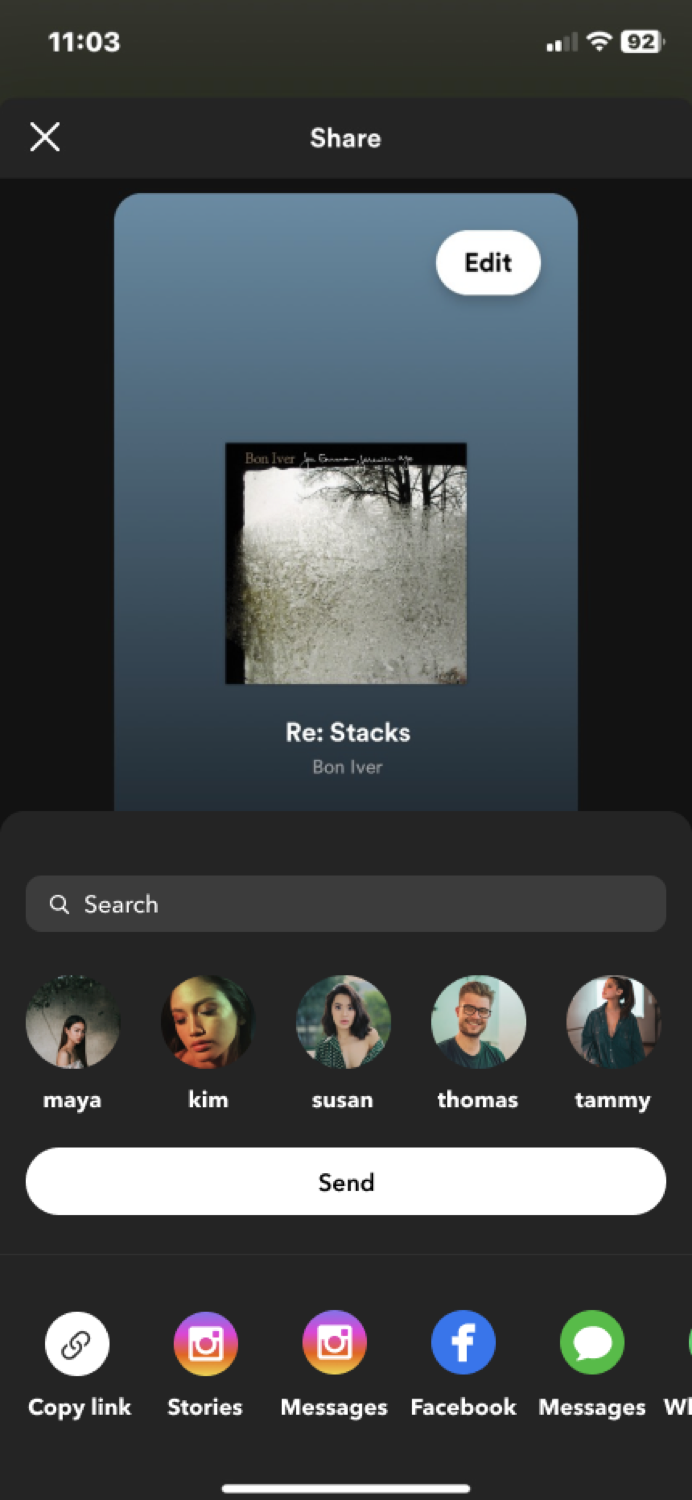
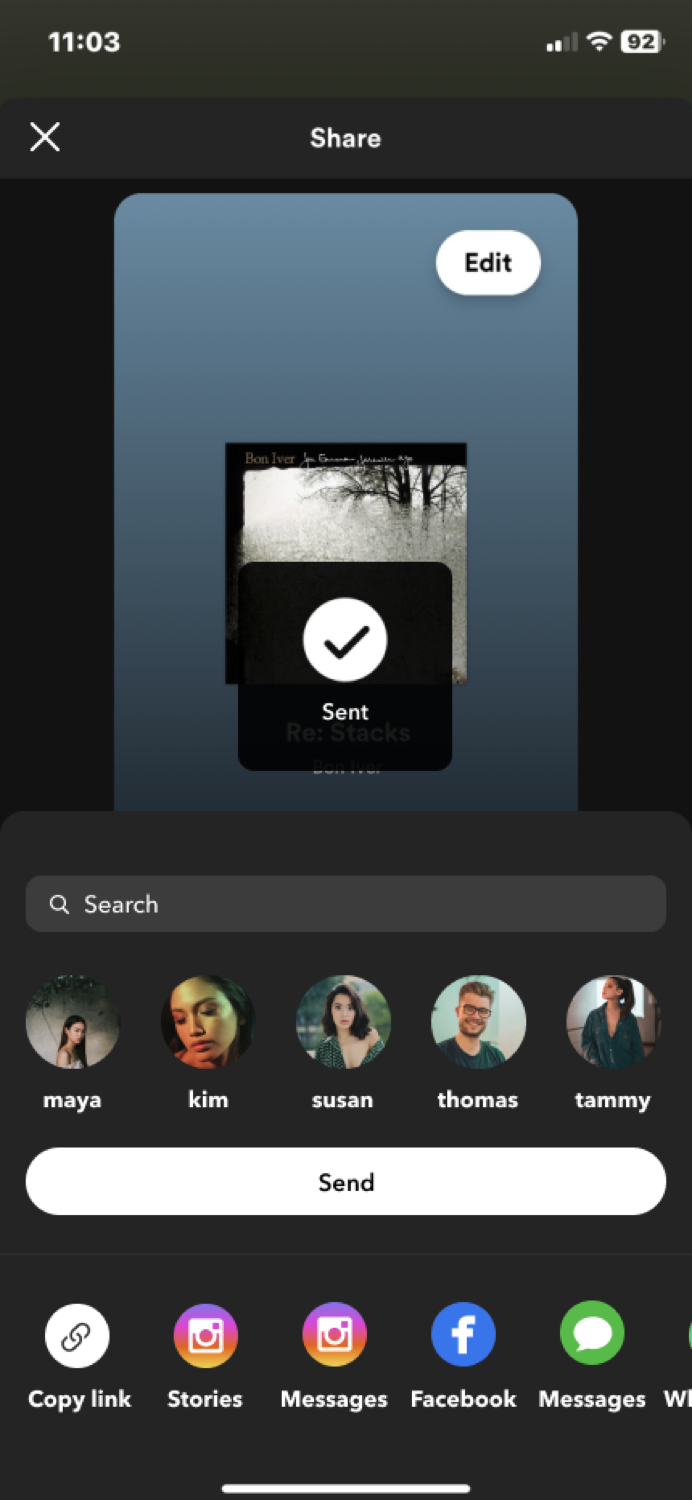
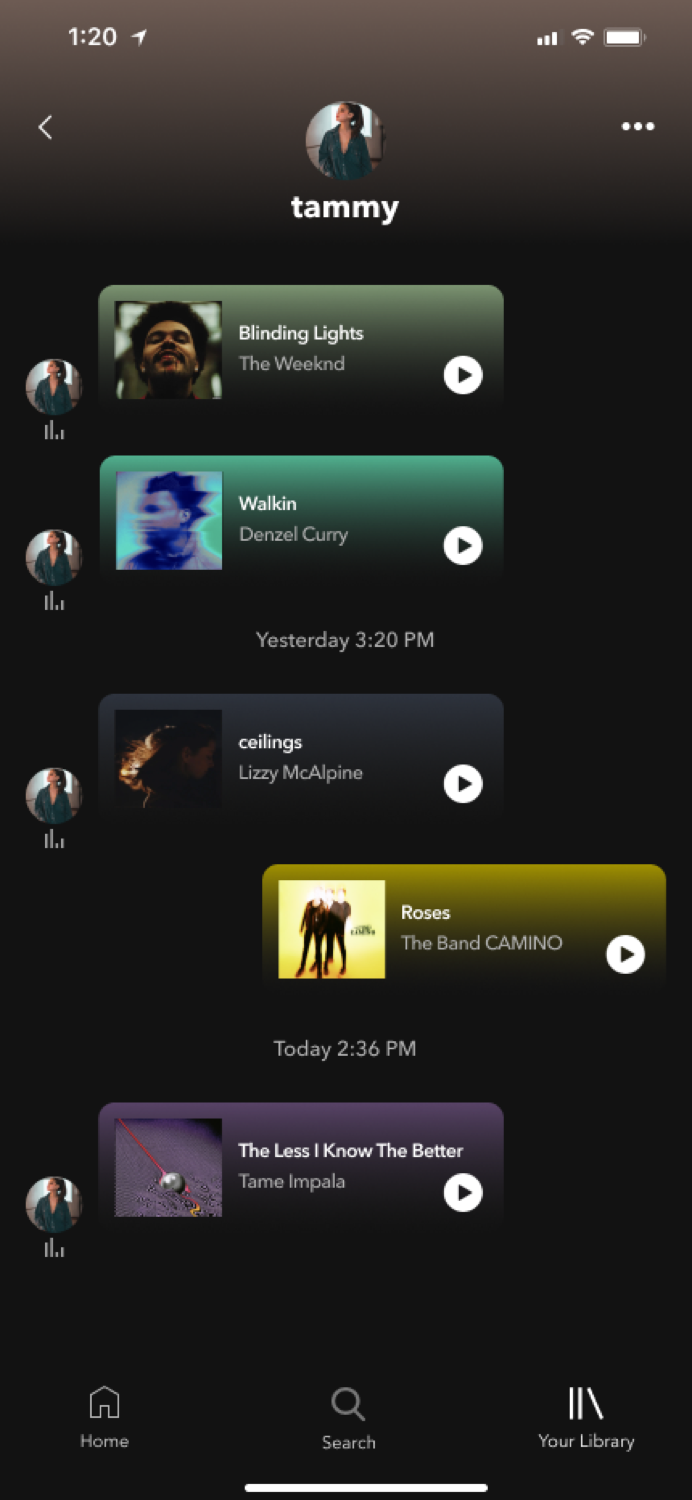
Share music, playlists, artists, and listening sessions directly with your friends in the Spotify app.
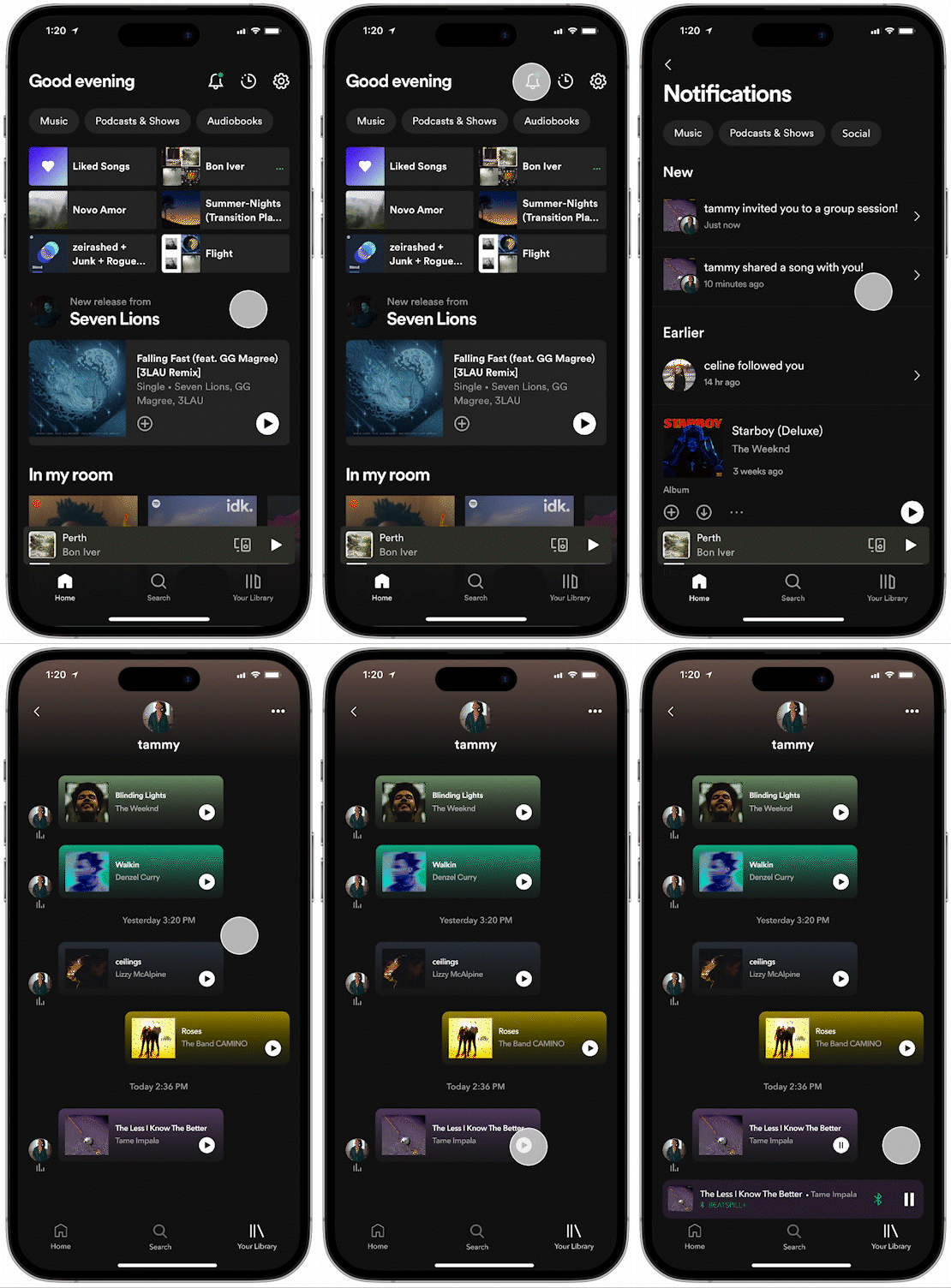
Social Notifications
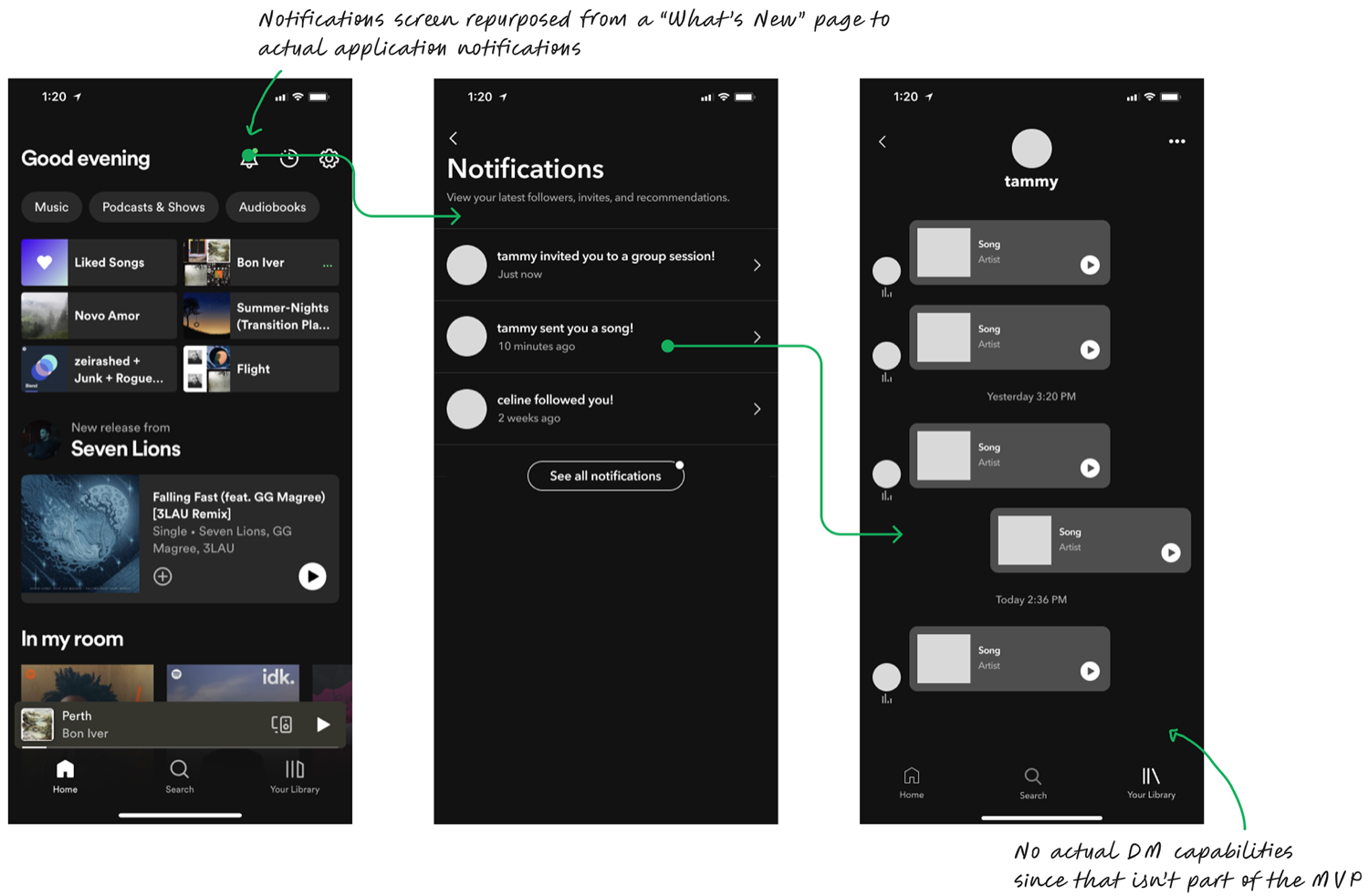
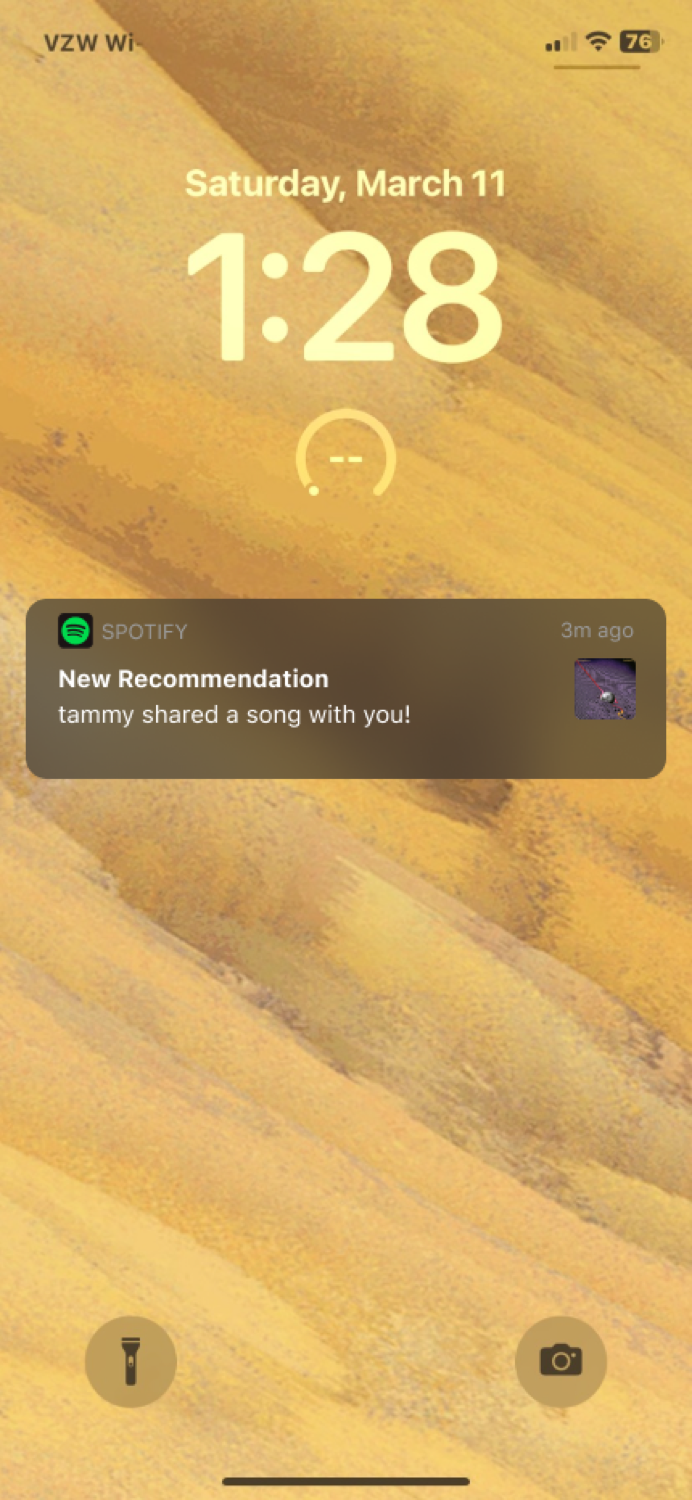
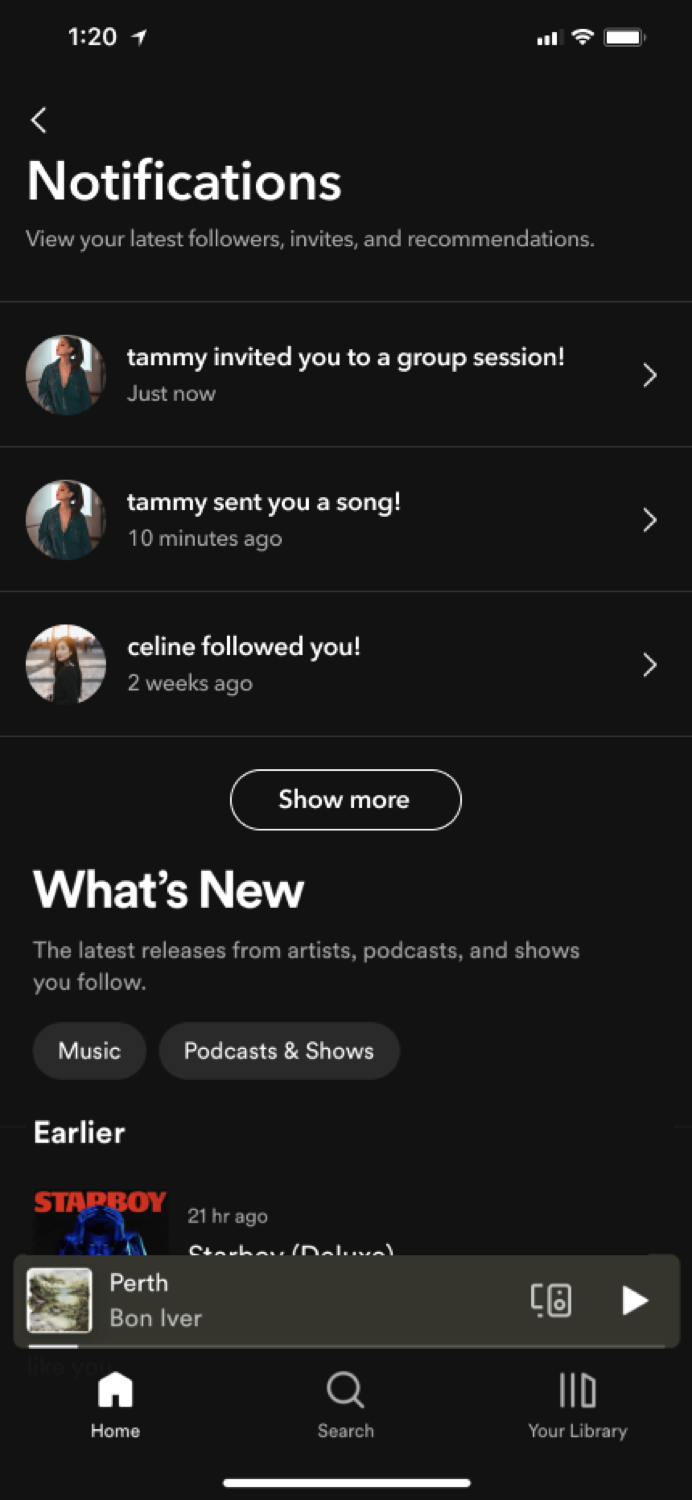
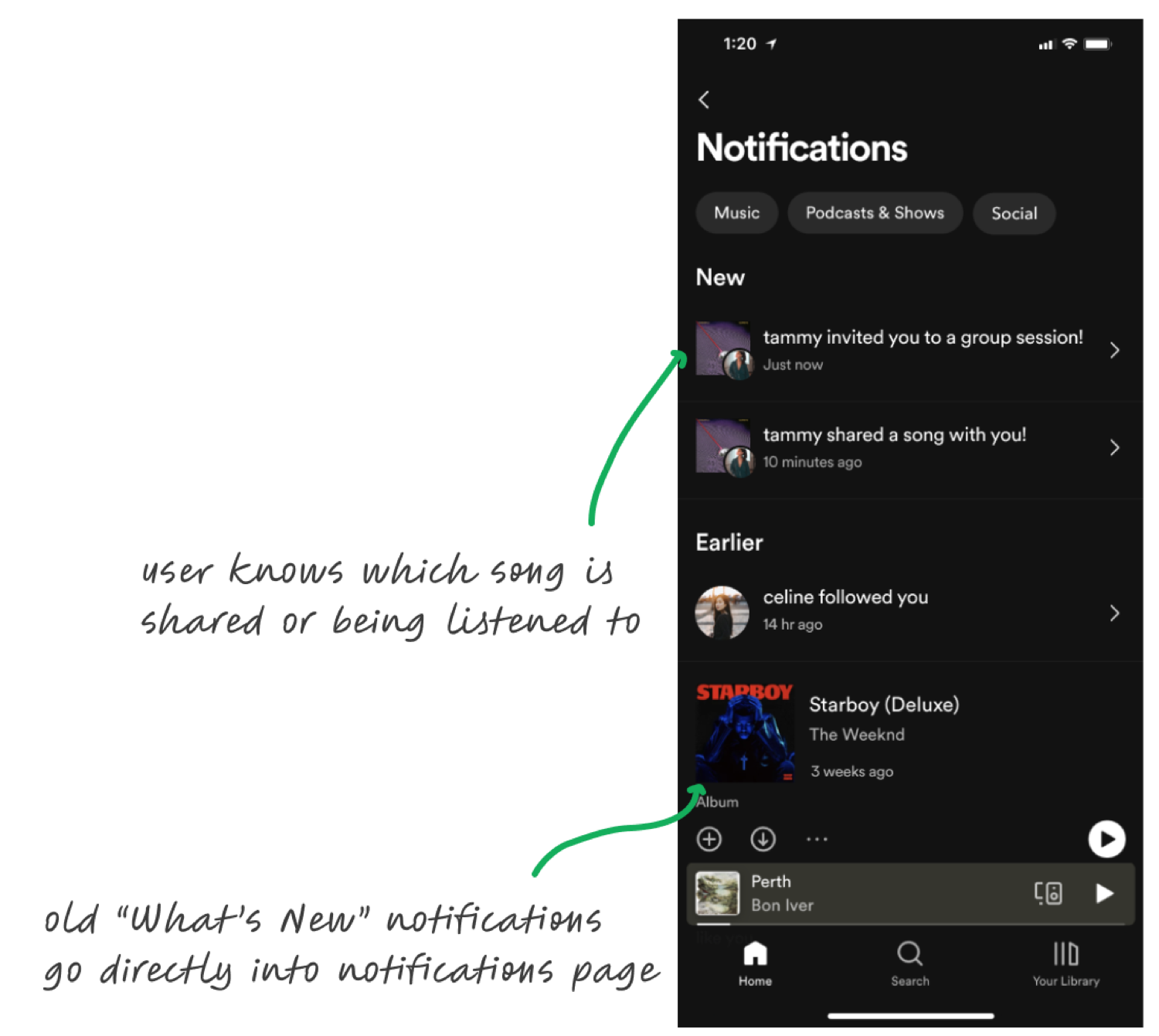
Got a new follower? A group session invite? Your sister just shared a song? Stay on top of your social experience within the existing notifications page.
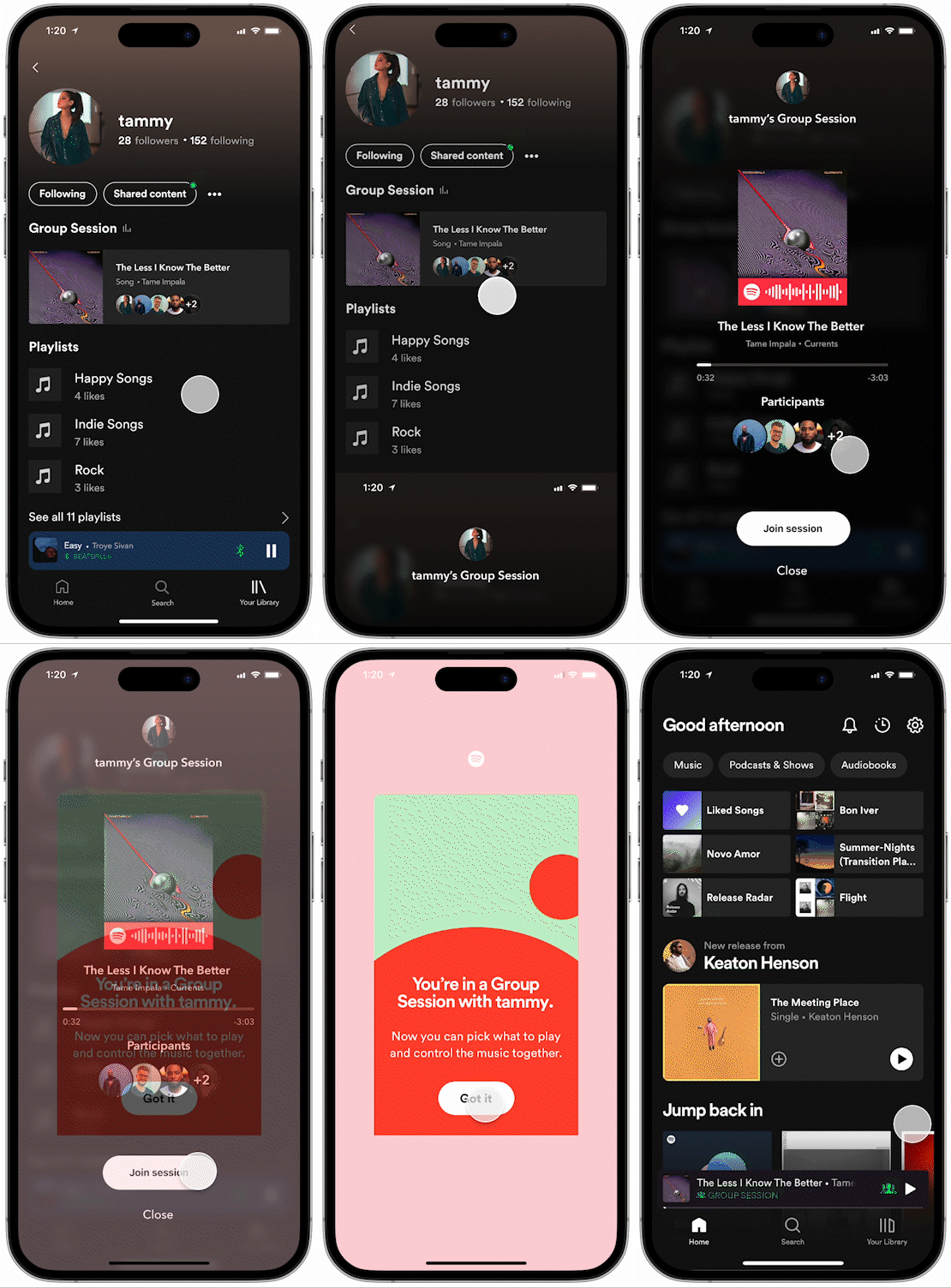
Friend Activity
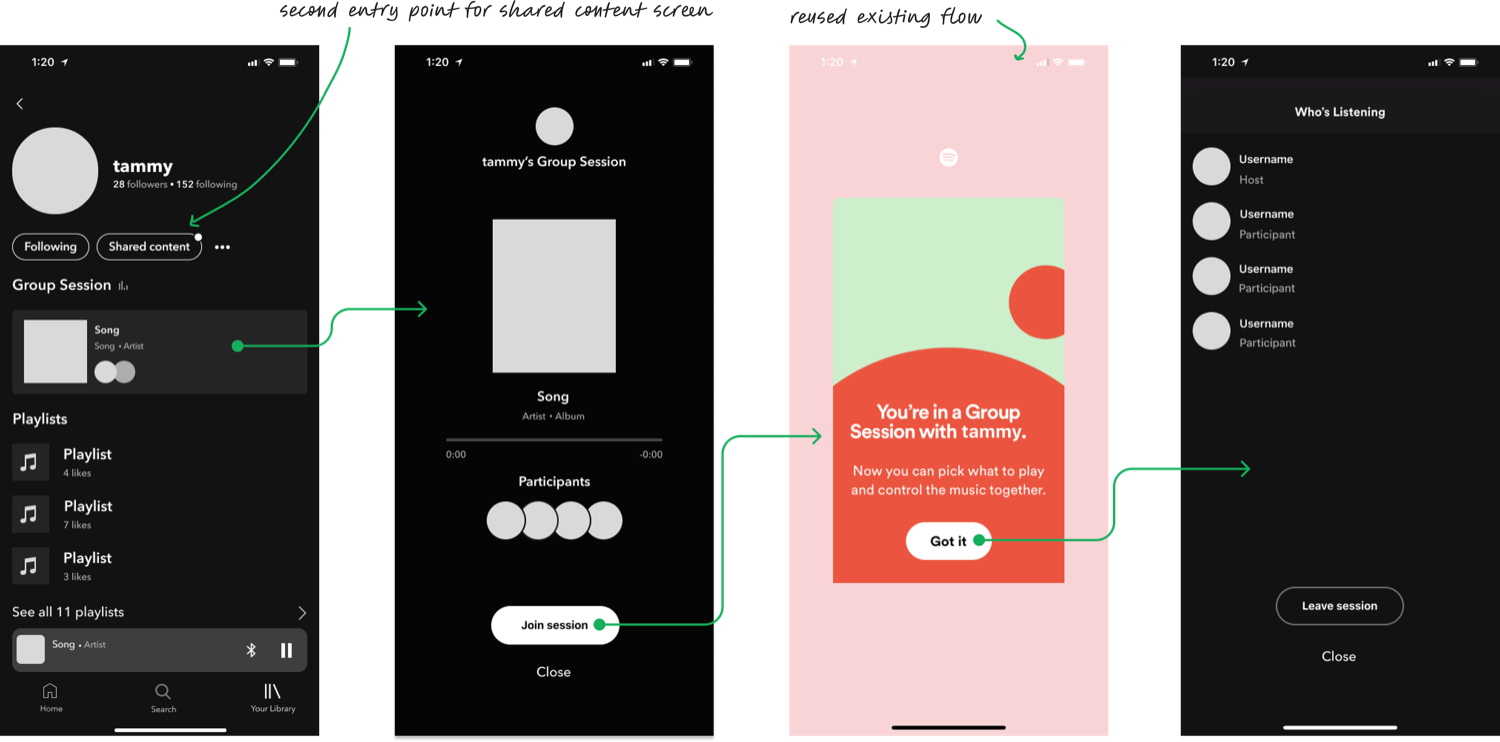
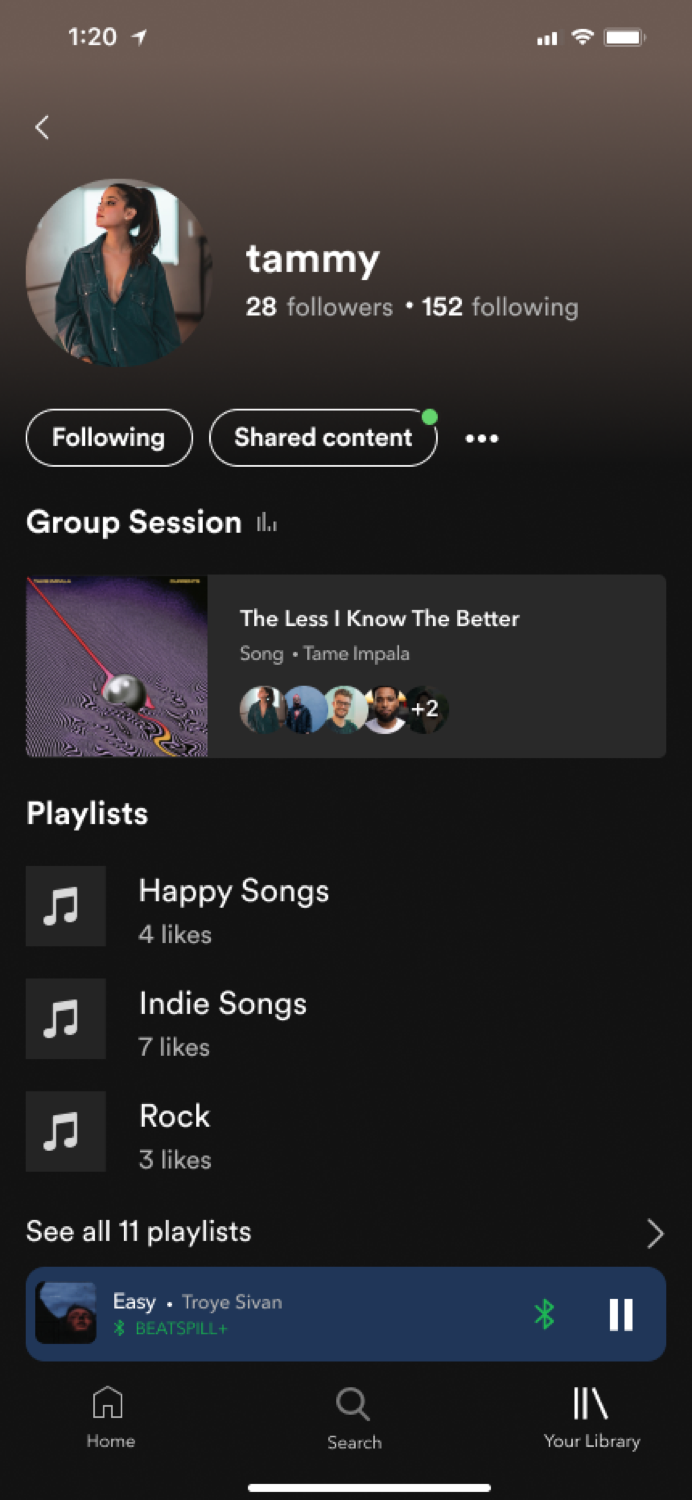
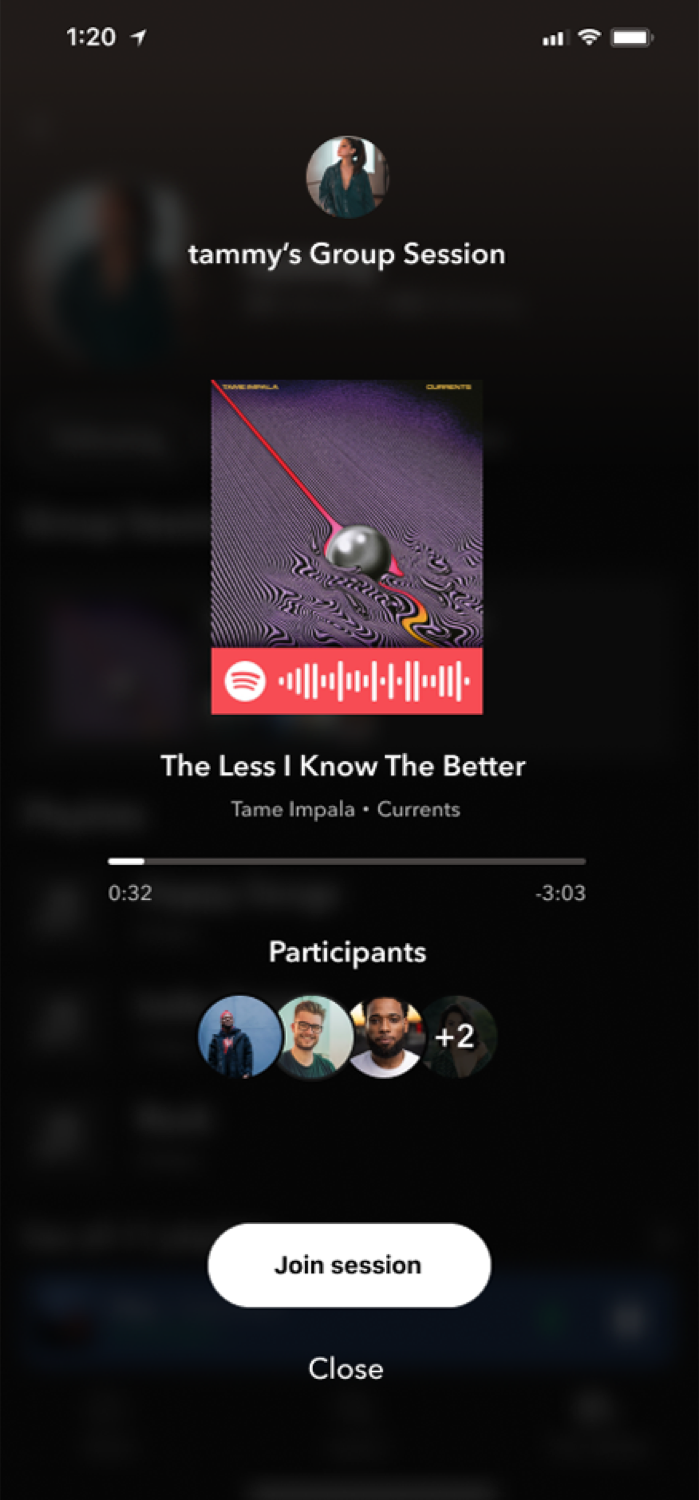
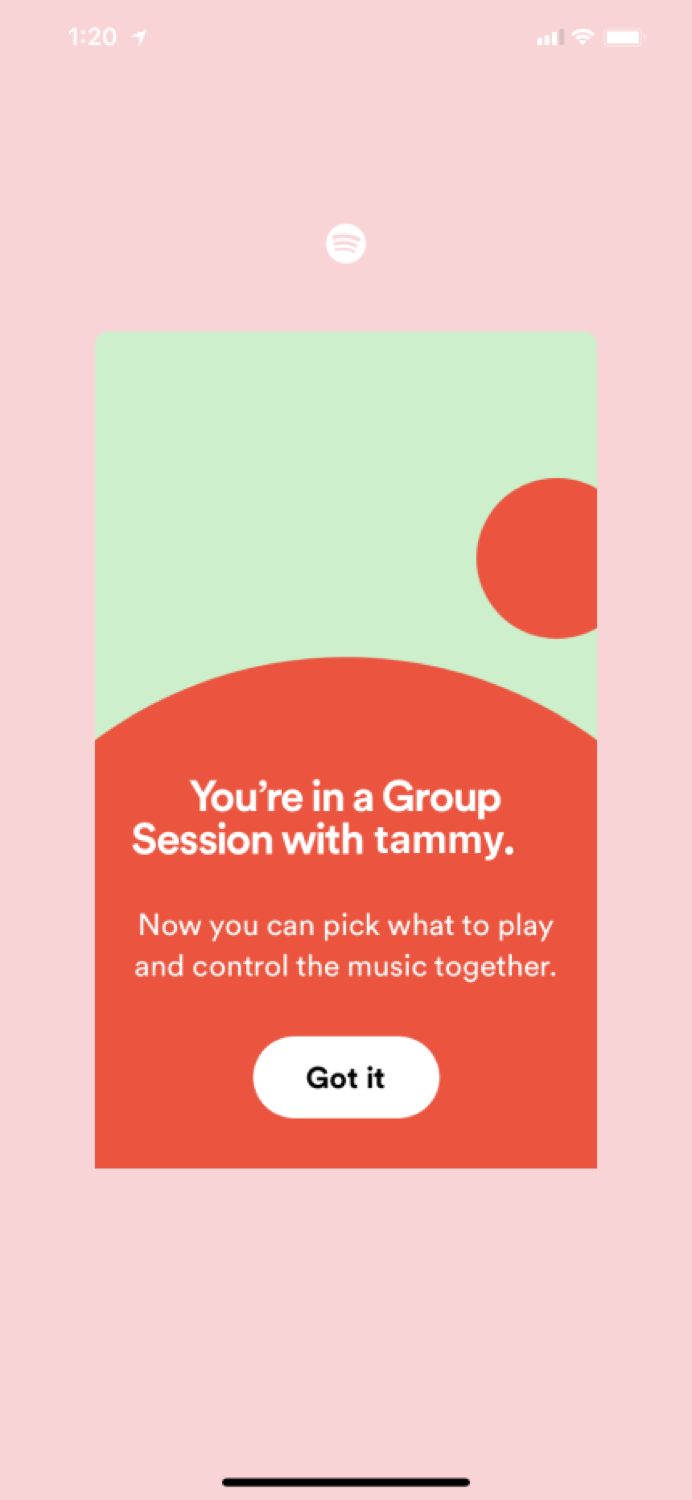
See what your friends are listening to by checking out their profiles, and feel free to join in if the session is public.
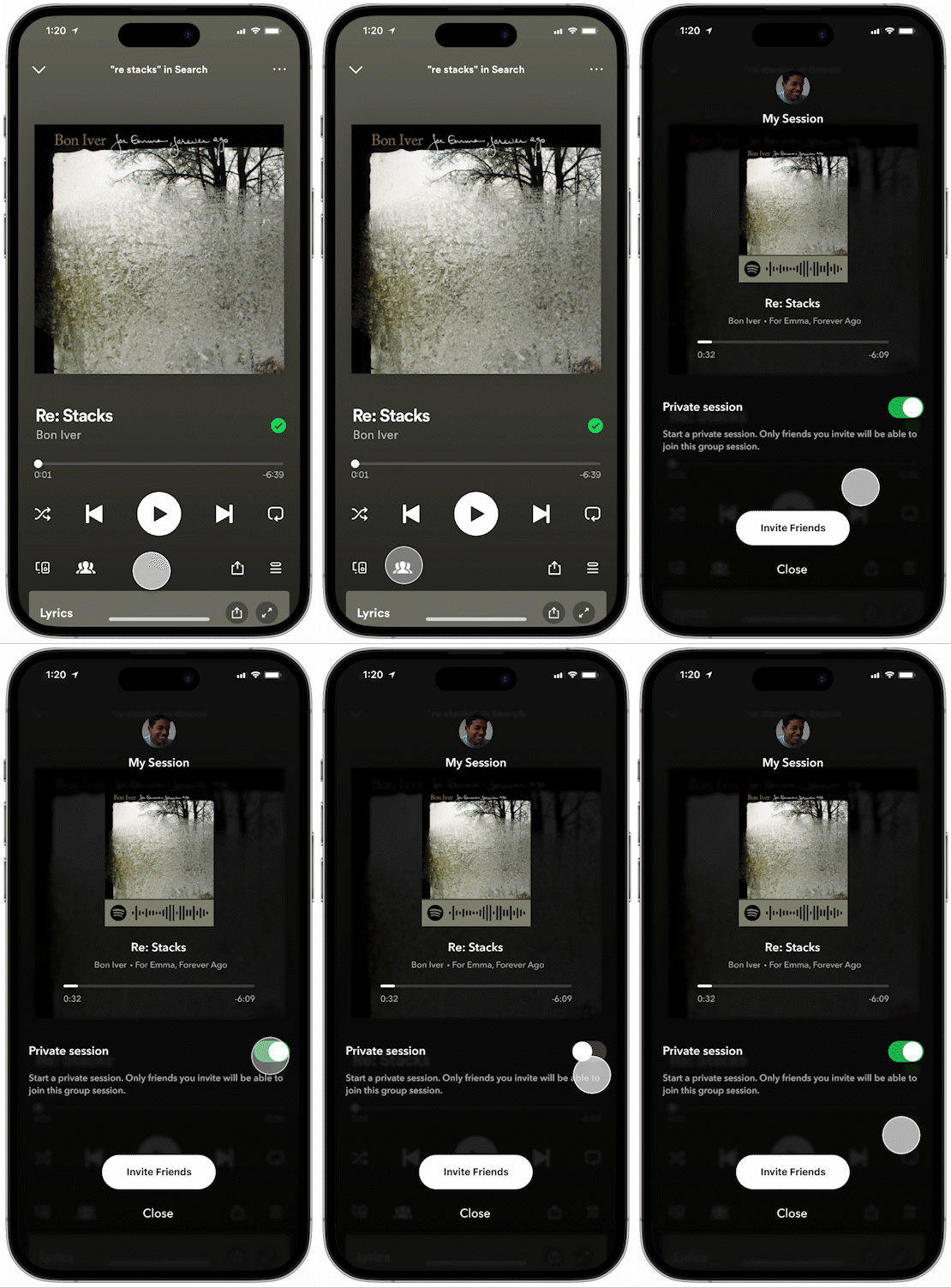
Discoverable Group Sessions
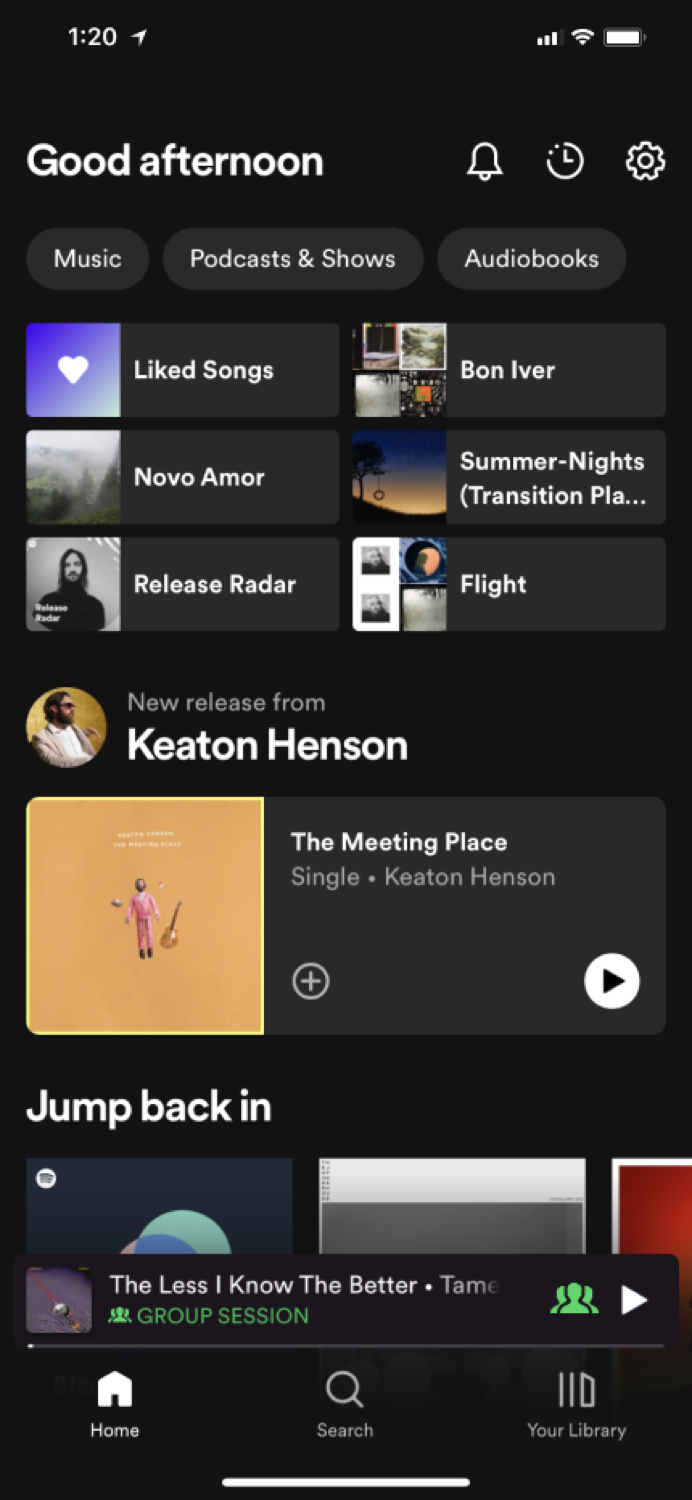
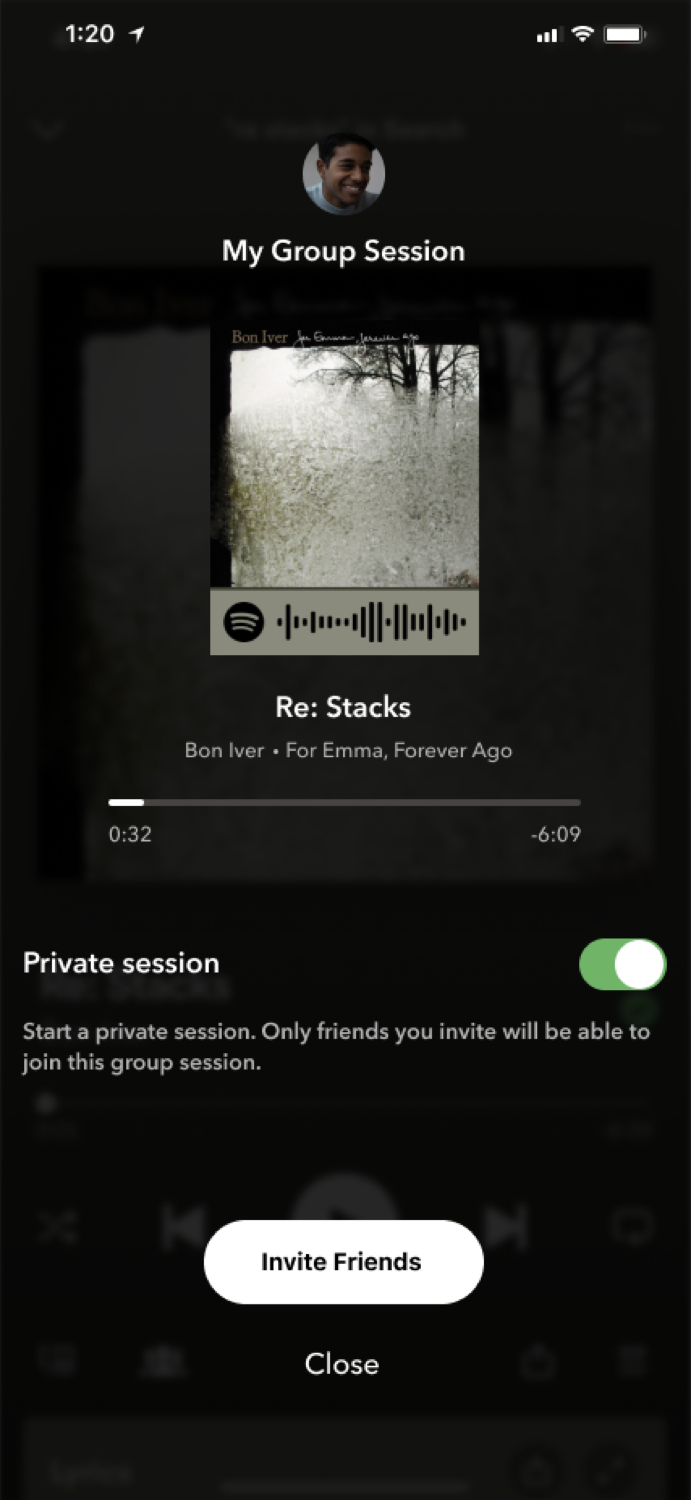
Did you know Spotify had a group session feature? Neither did 75% of the users we interviewed. Now they're easier than ever to discover, right from the song's display page.
Empathizing with the target audience
I started my user research by developing an online survey targeted toward frequent Spotify users. The survey aimed to give me an understanding of their opinions, experiences, and habits related to the platform and its social capabilities. Then, I interviewed five of the survey respondents to get a deeper understanding of their perspectives. To make sense of the quantitative and qualitative data I gathered, I created an affinity map that brought together all the insights from my research.

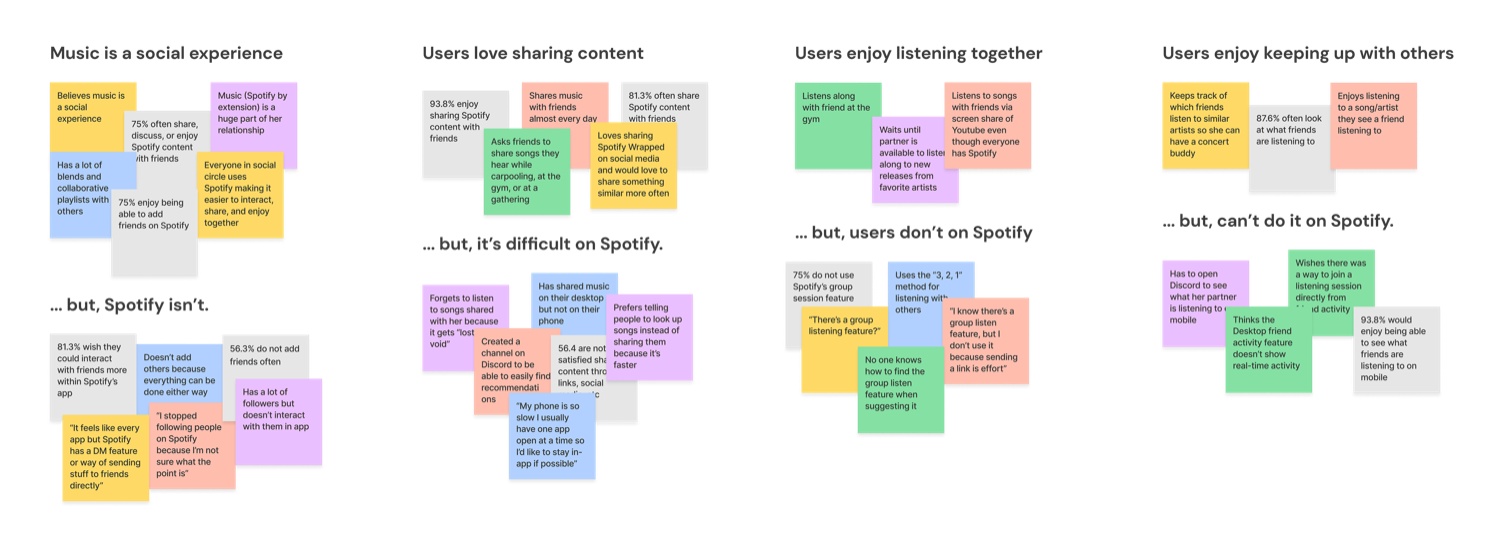
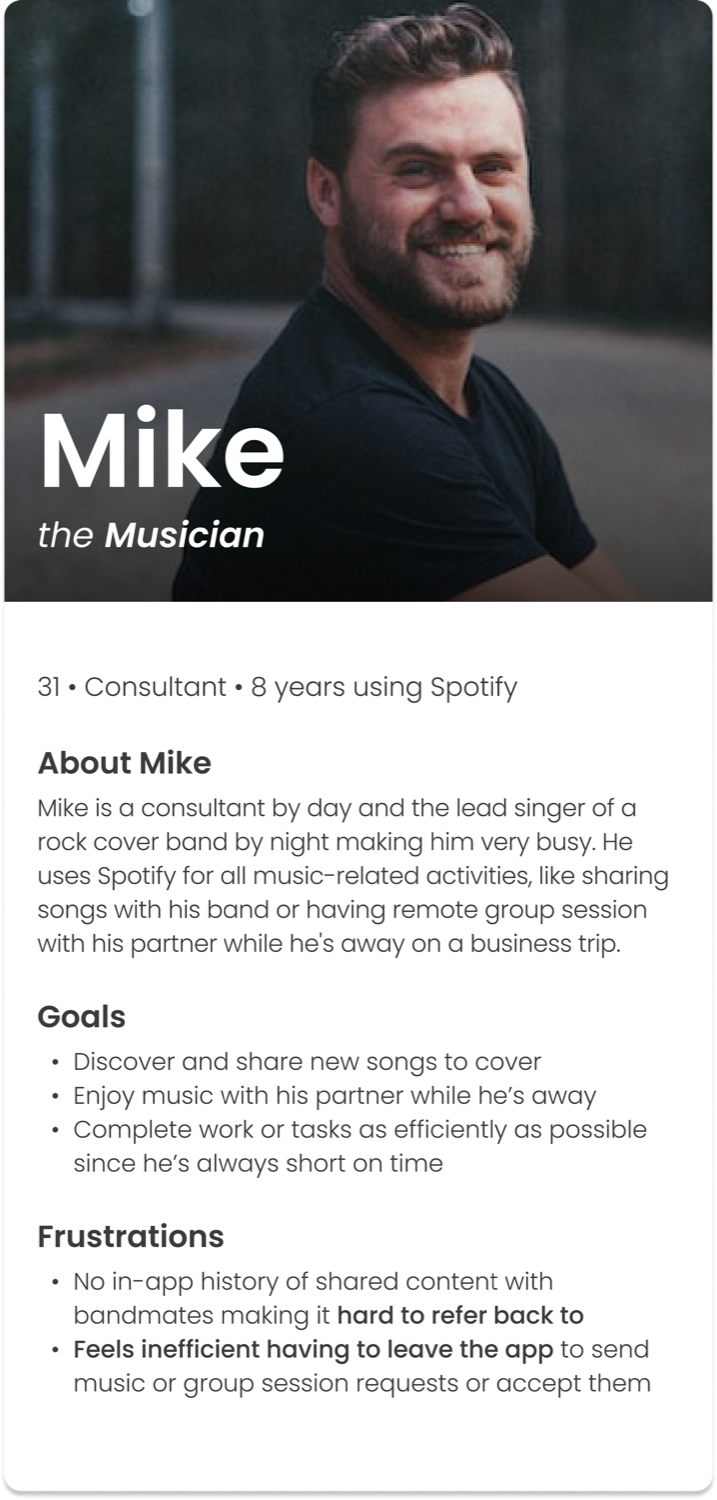
Understanding who we're designing for
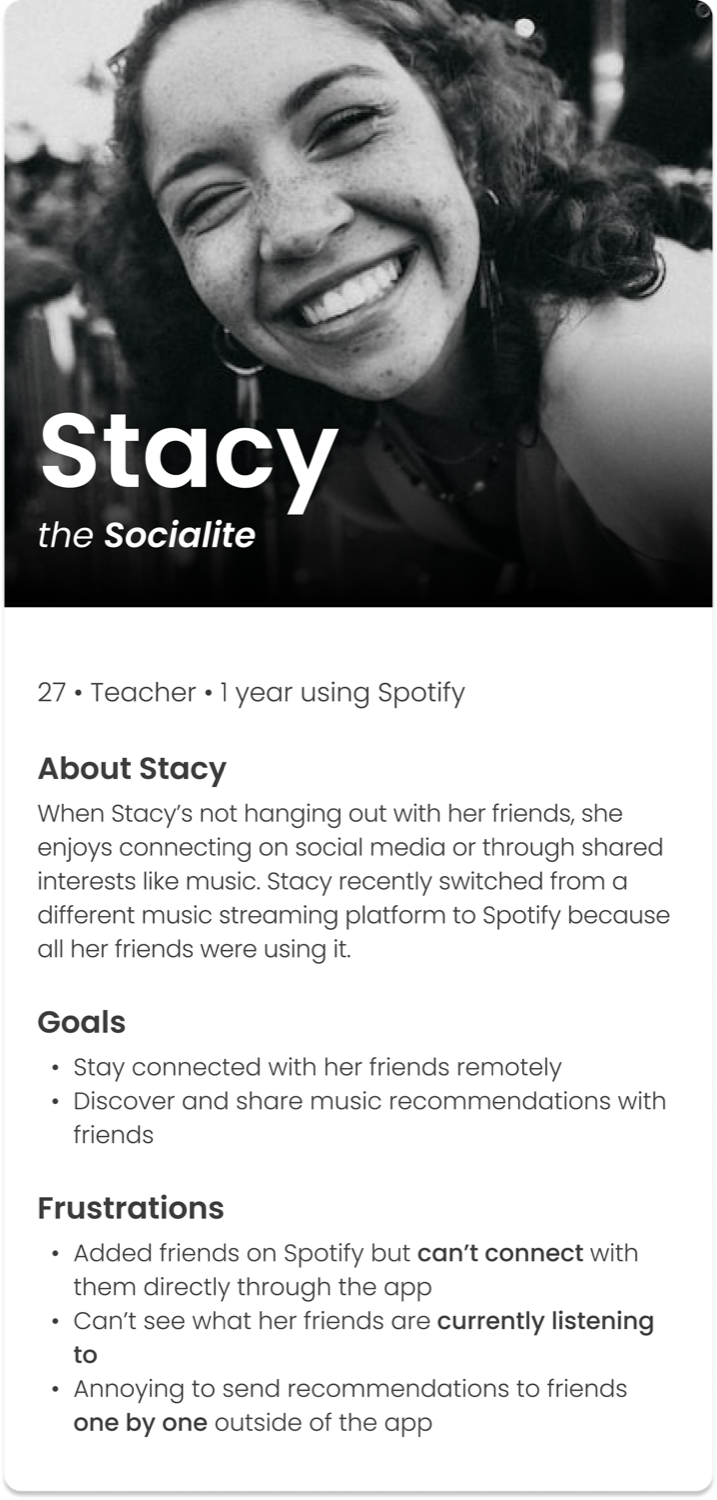
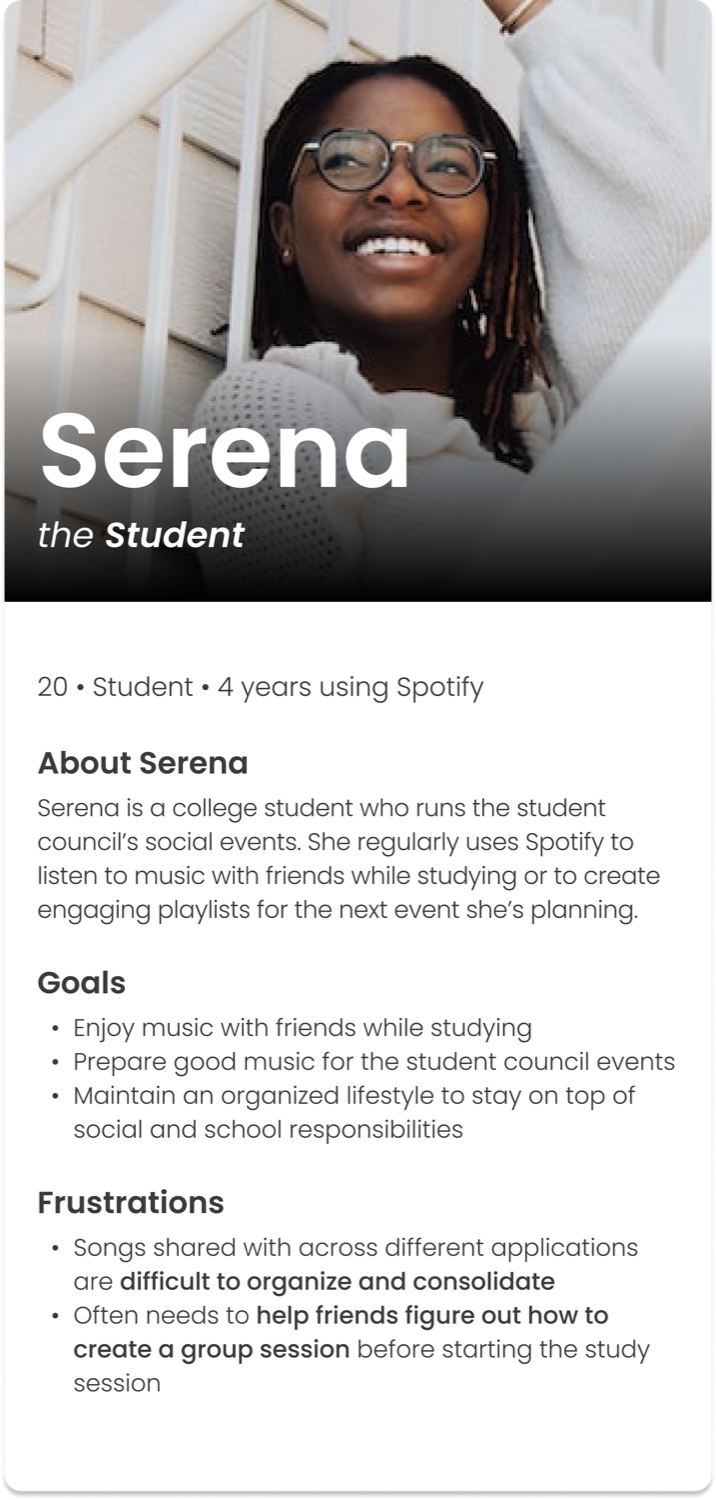
Brainstorming potential MVP features
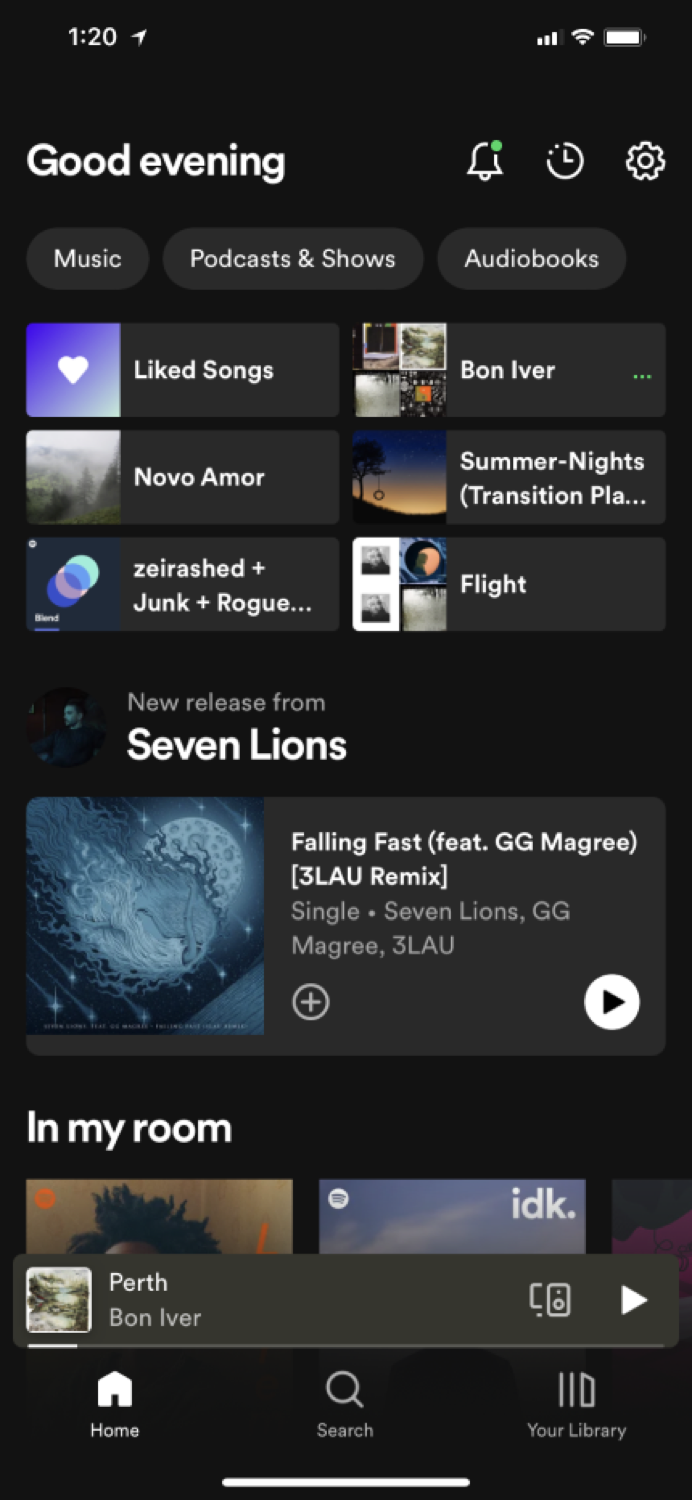
I began my design process by formulating "How Might We" statements based on the insights gathered from my user research, then brainstormed different ideas based on them.
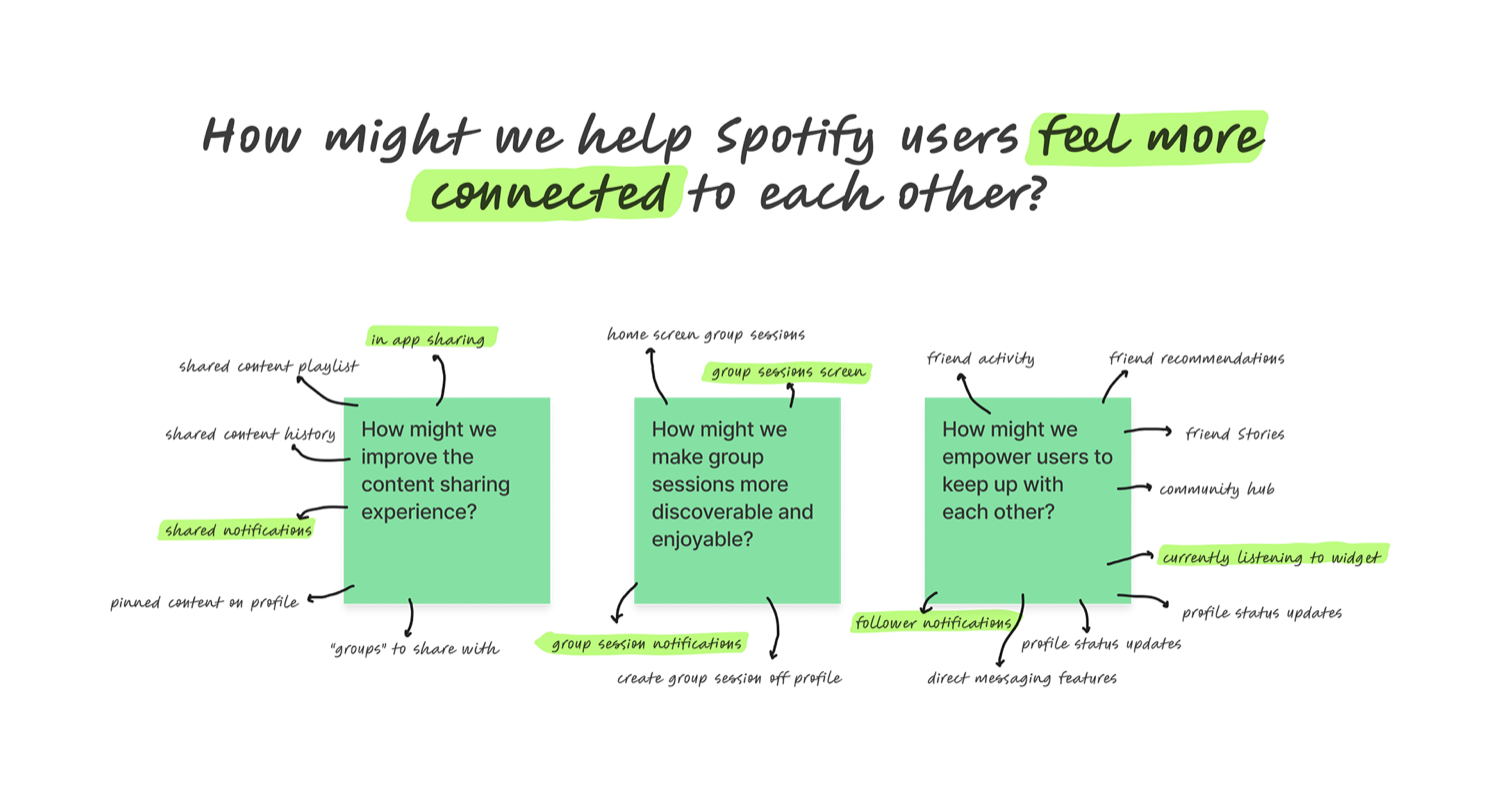
I came up with four final features as my MVP (Minimum Viable Product):
In-App Sharing
Give users the ability to share content with friends directly within the app.
Friend Activity
Give users the ability to see what their friends are currently listening to.
Separate Group Sessions Flow
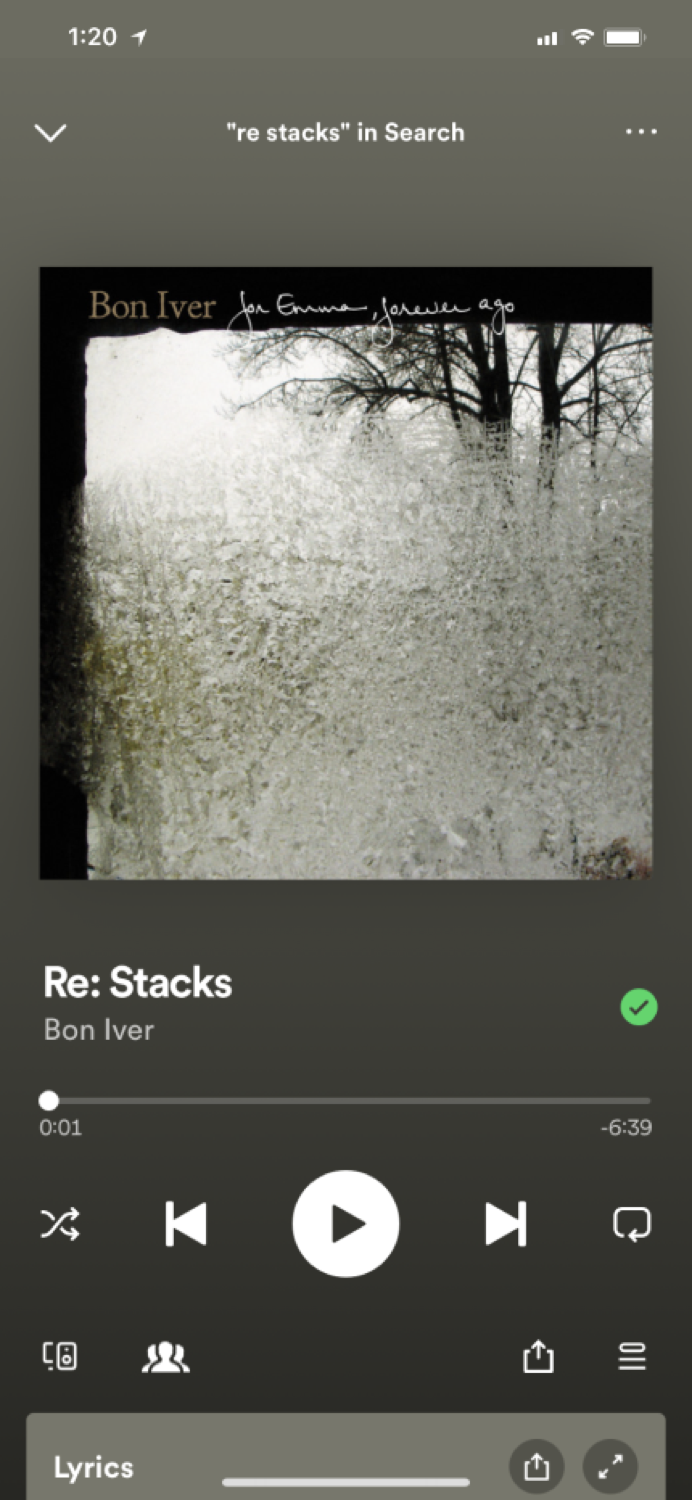
Make group sessions more discoverable and manageable by giving it a button on the song's display page.
Social Notifications
Give users a centralized place to stay up-to-date with all the new social features and engagements they're having with their friends and followers.
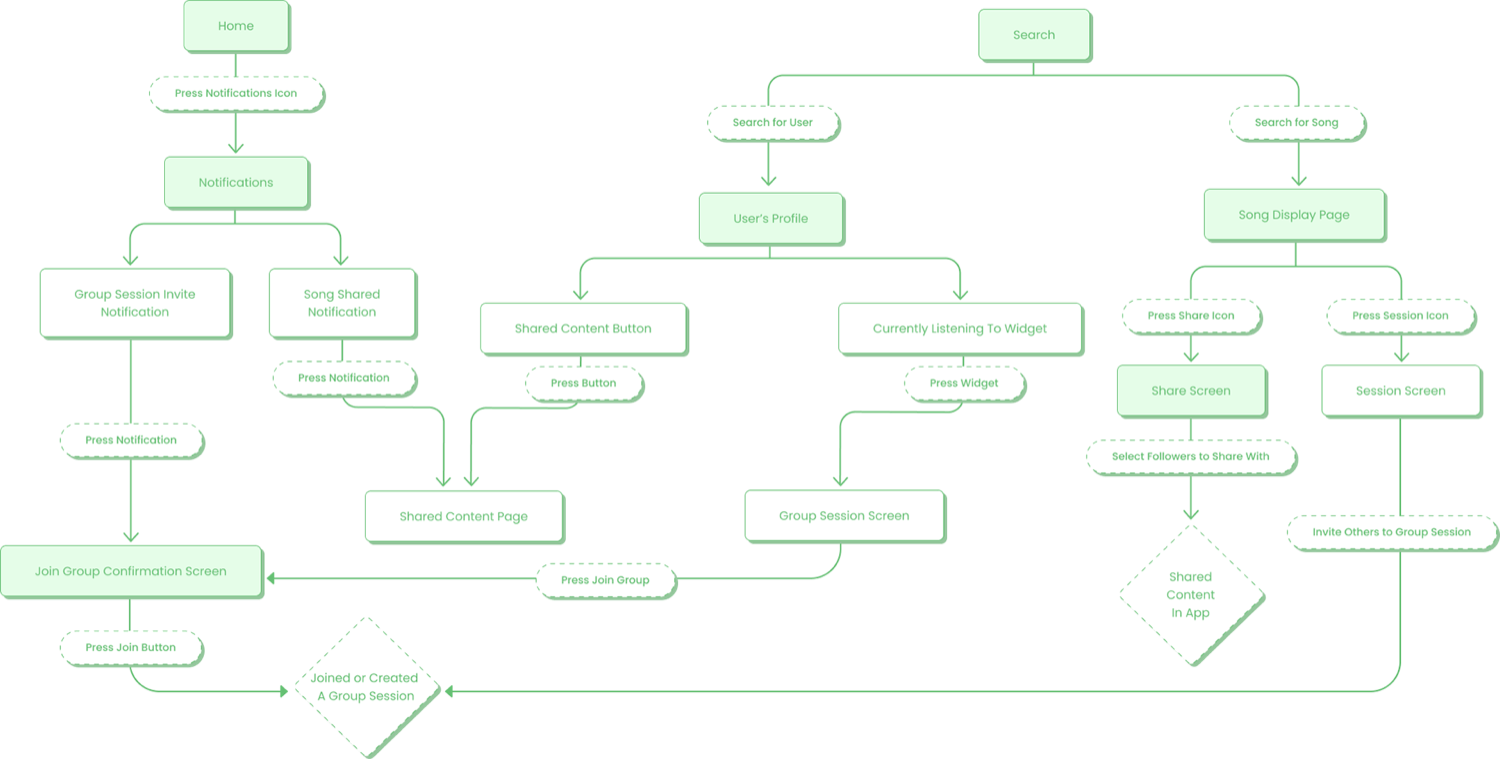
Mapping the road for users
Creating paper prototypes
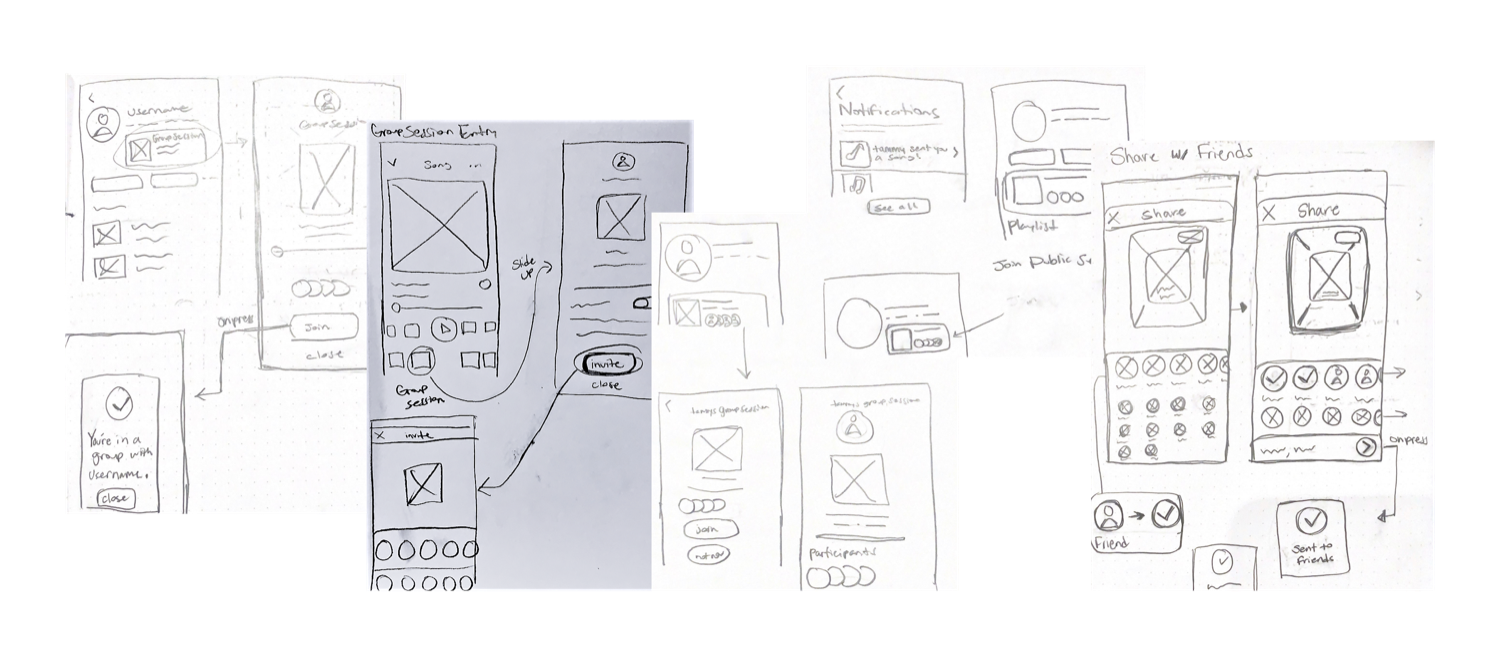
Wireframing
Prototyping the "final" product
Friend Activity & Group Sessions
In-App Sharing & Inviting
Gathering user feedback
I used my initial prototype to conduct usability tests on 3 participants. These were the tasks they were asked to complete:
Social Notifications
- Find the song "Ceilings" that was shared with you by Tammy and add it to your Liked Songs.
- You just received a notification to join Tammy's group session, join it!
Friend Activity
- Tammy is currently listening to music in a public group session. Try joining her.
Group Sessions
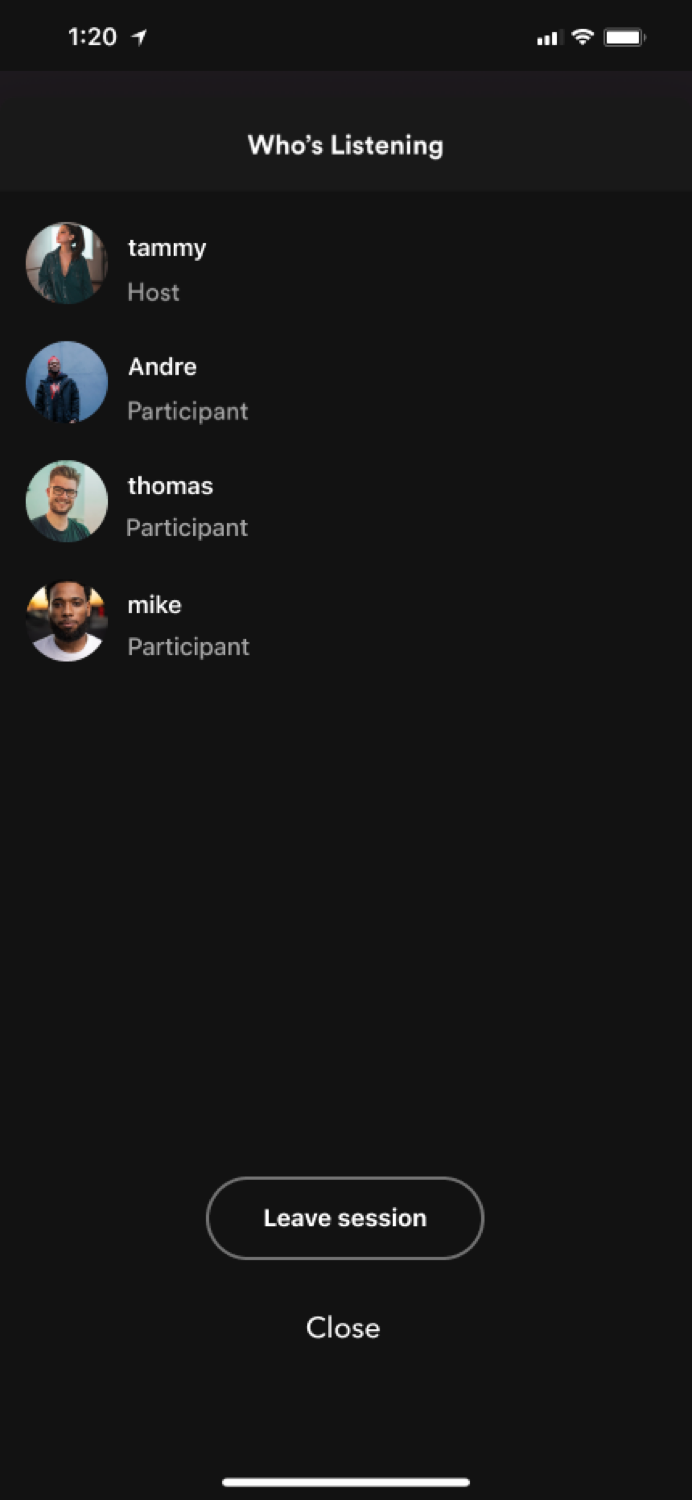
- You no longer want to be in Tammy's group session. Try leaving it.
In-App Content Sharing
- Listen to the song "Re: Stacks" and invite Kim, Thomas, Tammy, and Mike to a group session.
- Share the song "Re: Stacks" with Tammy, Kevin, and Mike.
- You just received a push notification from Spotify. Listen to the song Tammy just shared with you.
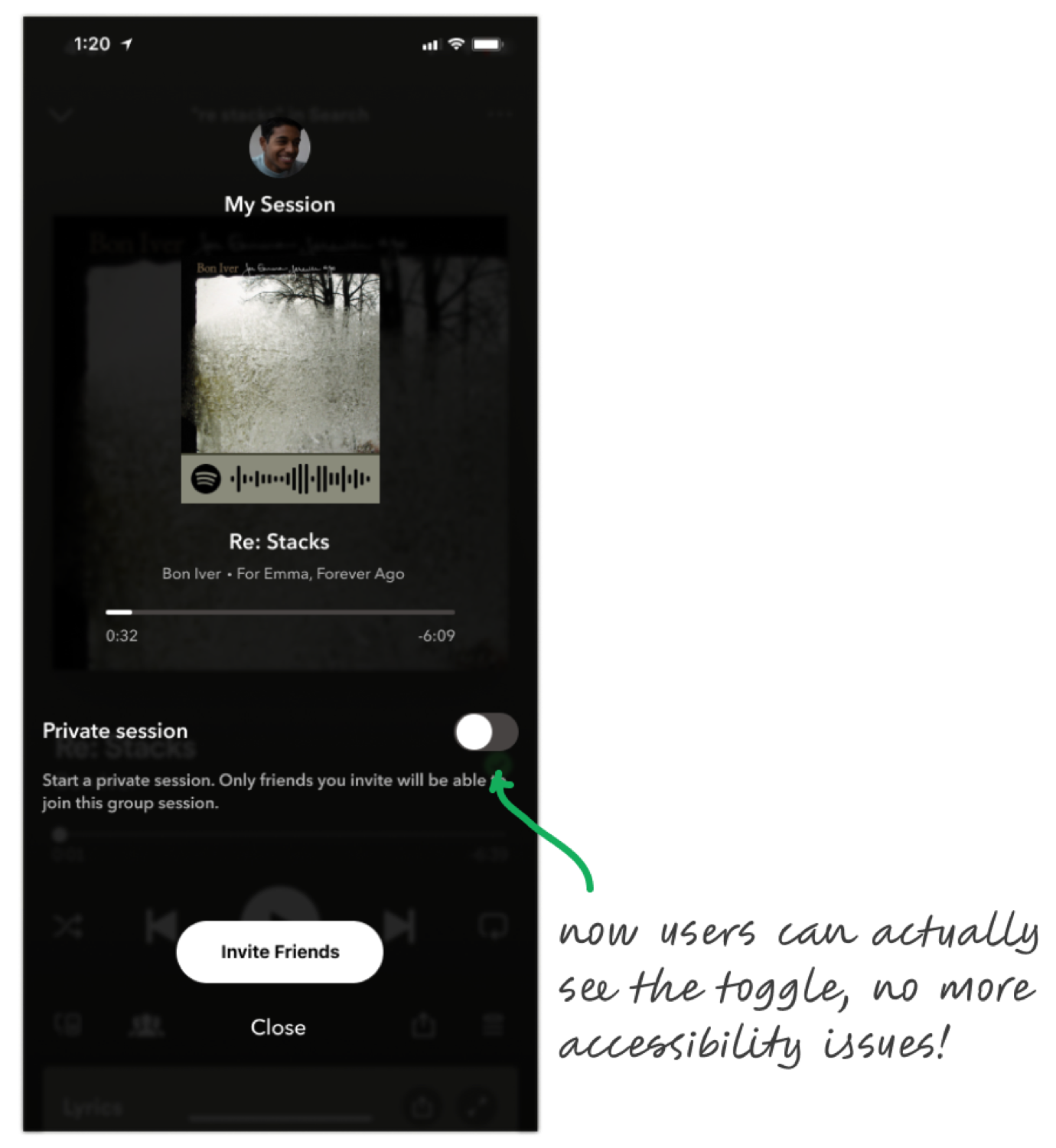
- Your listening session is currently public. Make it private.
The participants had a 100% completion rate with all the tasks, but I did gather some feedback that helped me iterate on and improve my designs.
Improving the design
Improved Notifications Page
A participant was a bit confused about the purpose of the "What's New" section on the notifications page. I consolidated the "What's New" and social notifications sections into one consistent, all-inclusive notifications page.
Improved Toggle Color Contrast
One participant pointed out that it took him a moment to recognize the toggle on the session screen because the gray color blended in with the background. To address this accessibility issue, I increased the contrast between the two.
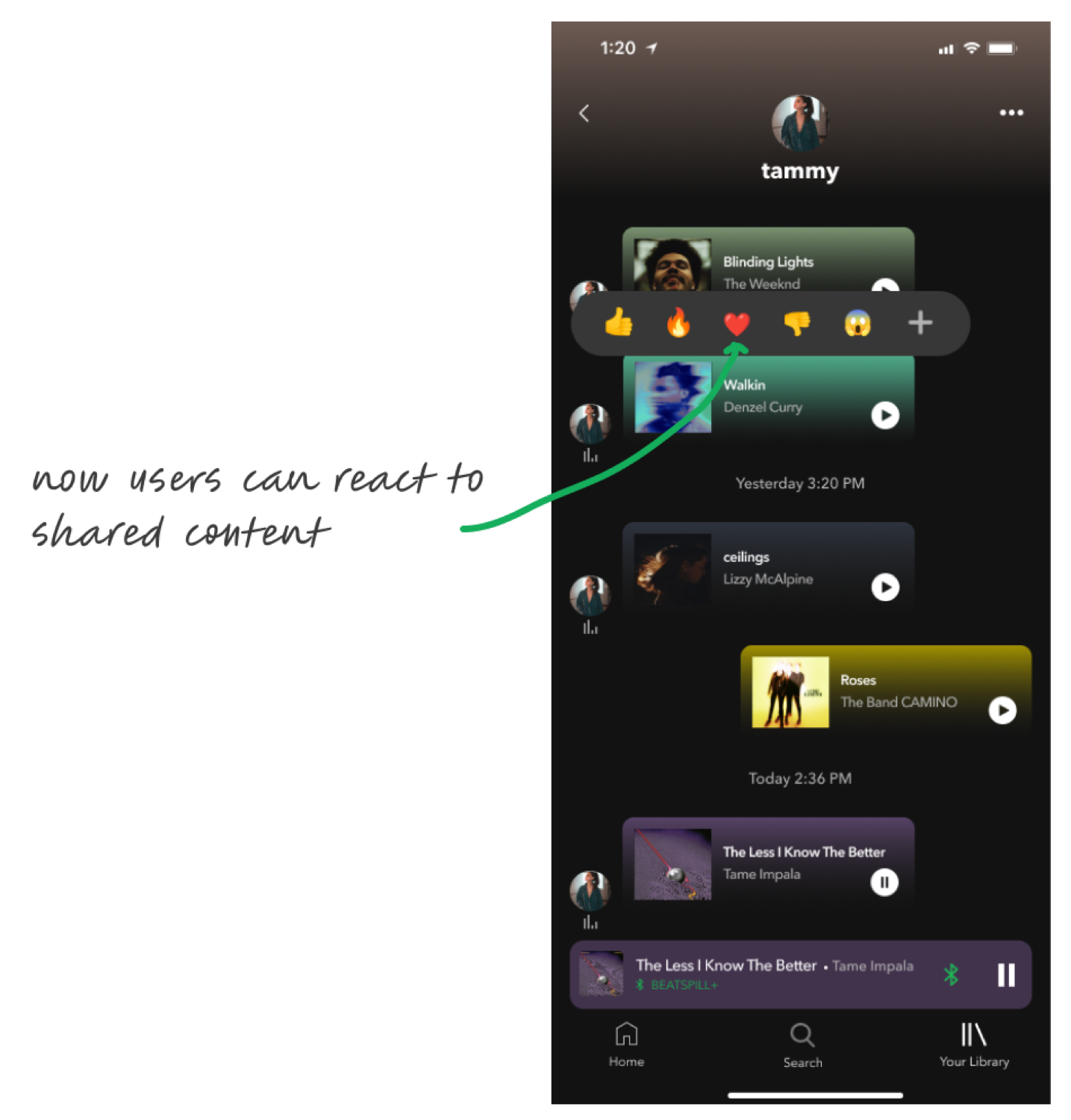
Added Reactions to Shared Content
Two participants expressed interest in being able to show their friends that they enjoyed content shared with them, so I added the ability to react to shared content.
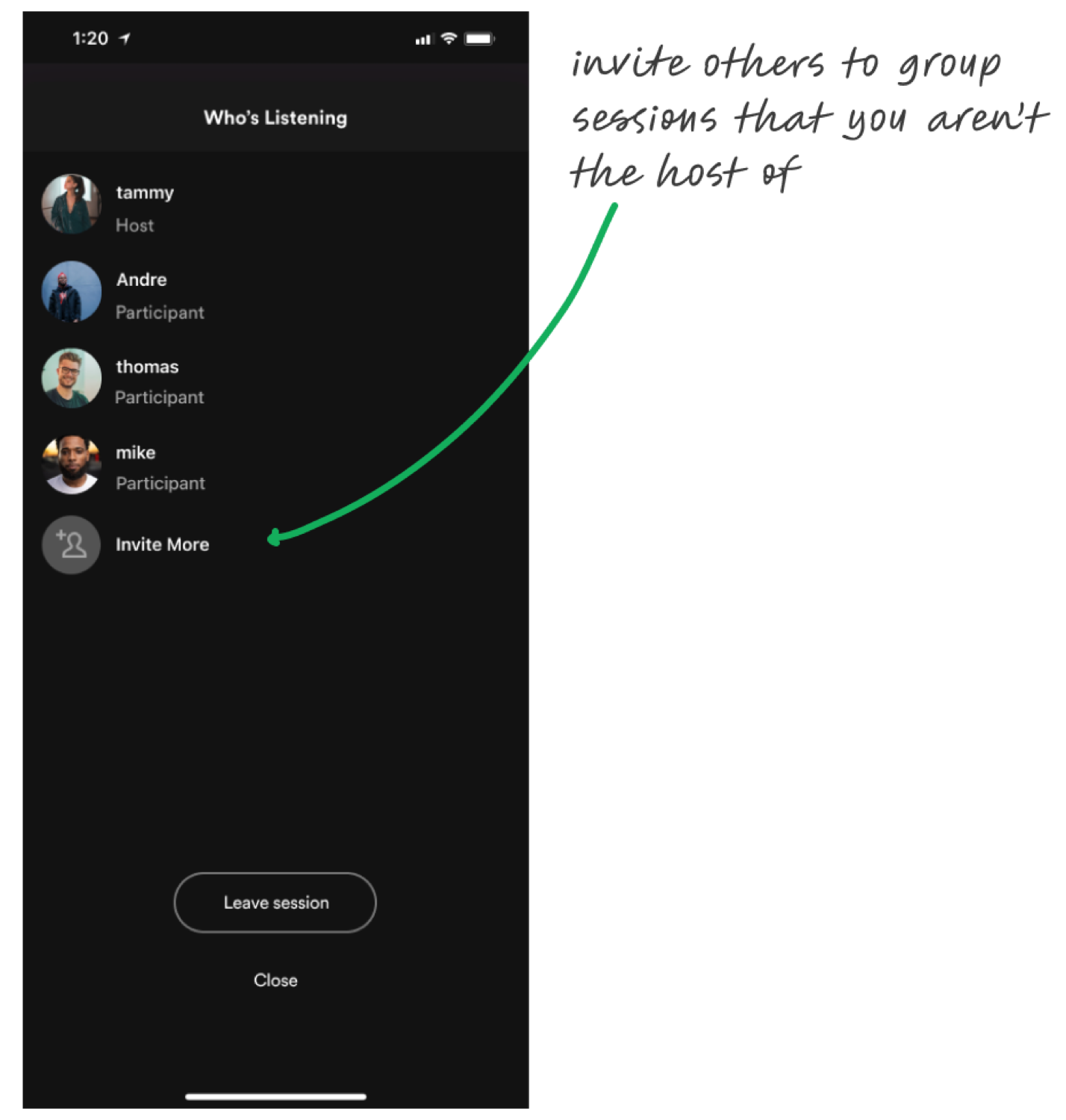
Invite Others to Group Session
A participant noted that they wanted to be able to invite others to a public group session they had joined. I added this feature, which improved the overall consistency of the group sessions flow.
A single, consolidated notifications page
Reactions on shared content
Learnings and looking forward
My overall goal for this project was to integrate new features that highlight the existing ones and maintain the overall aesthetic and feel of Spotify's current state.
One of my biggest learnings was that implementing a seemingly small feature can drastically increase the scope of a project. For example, improving the group session feature felt like a small task but ended up requiring multiple new screens, adjusting entry points, and modifying existing flows.
Looking forward, I'd like to experiment with adding a dedicated social section to the bottom navigation bar (a one-stop shop for everything social!), increase DM capabilities by letting users type small messages when sending a song, and add the ability to view all queued songs (or songs played) within a group session.
This project was incredibly fun to work on, and I hope you enjoyed reading through it!